TL;DR#
An iOS app built for the foldable iPhone Duo that unfolds into a two-screen Pokédex, scans tilted cards offline with a custom YOLO11 model, and tracks collection value like a live stock portfolio.
Why pricing out binders of trading cards takes forever#
The idea for Dexter came up while sitting at my desk with three binders of Pokémon cards trying to price out a trade. Pricing a single binder page meant pulling each card from its sleeve to read the corner set number, typing the name and foil variation into TCGPlayer or eBay, filtering by condition, and copying the price into a spreadsheet.
I tried a few card scanner apps on the App Store, but they all had the same annoyances:
- They locked bulk scanning behind a $10 monthly subscription and sent every camera frame to a cloud server, which lagged and broke when cell service dropped at card shows.
- Desk lamp glare on a penny sleeve blinded basic text OCR, and holding a card at a slight angle made the match fail.
- Once scanned, the cards sat in a static checklist with no way to see how graded slabs or raw singles moved over time.
I wanted an iOS app that recognized cards locally on my phone in milliseconds, opened like a hinged two-screen Pokédex, and tracked the whole collection like a stock portfolio.
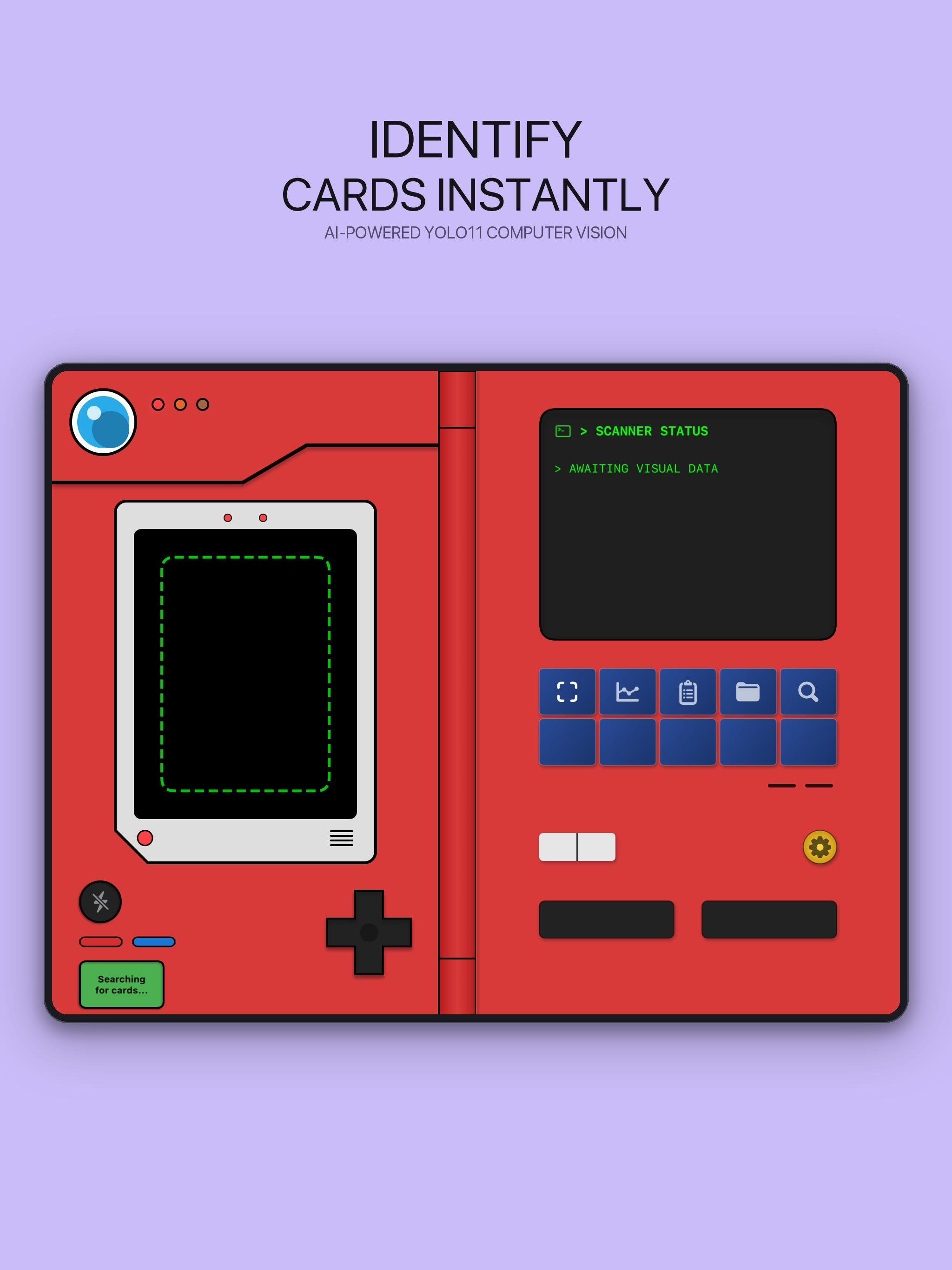
Unfolded Pokédex scanner with the live camera viewfinder on the left flap and the status screen on the right.
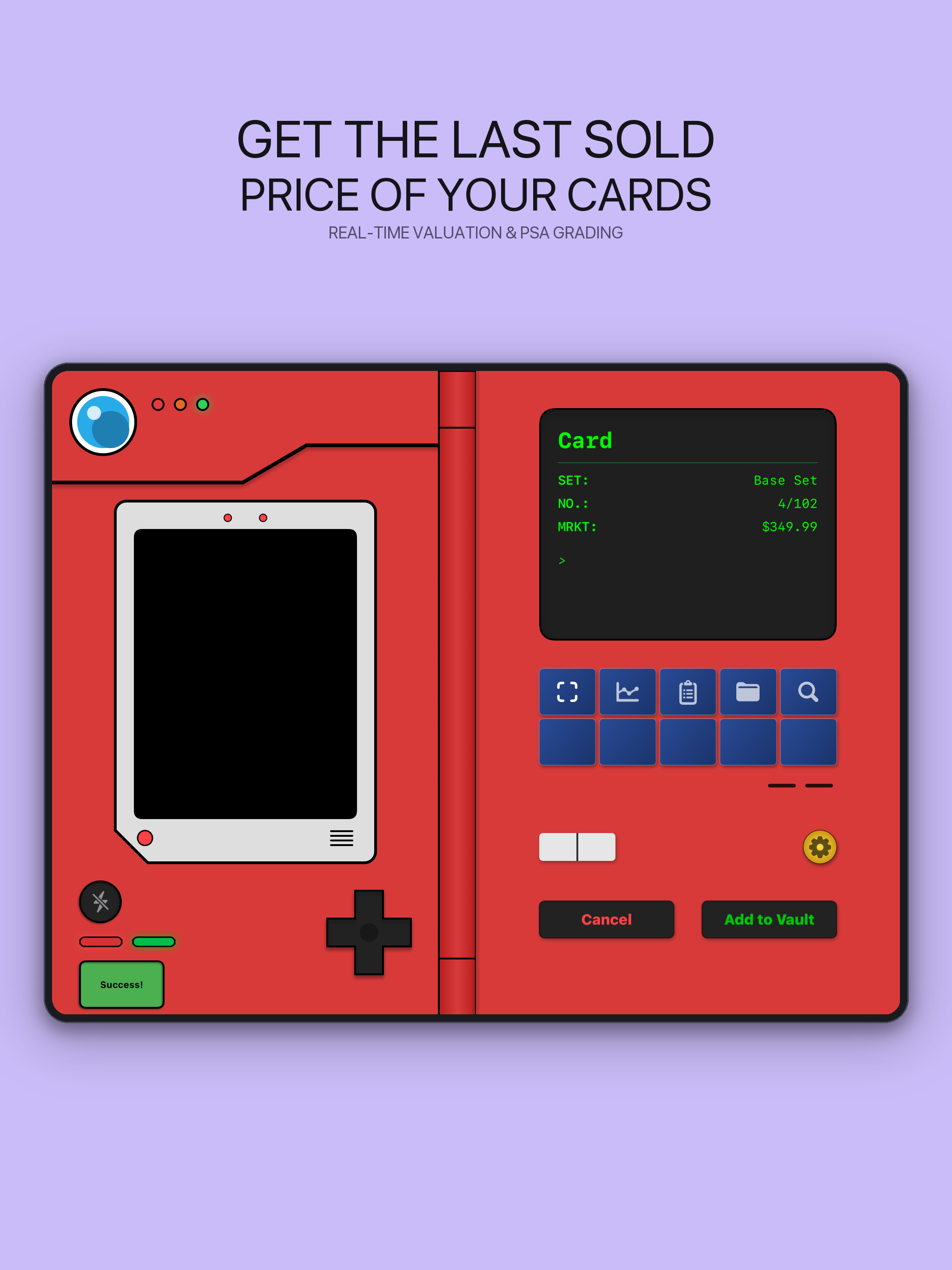
Matched Base Set Charizard (#4/102) showing the $349.99 market price and one-tap vault controls on the right flap.
Try the app in your browser#
I hooked up a live iPhone Duo simulator on my Mac so you can test the app right on this page. Use the fold controls above the frame to switch between the closed cover screen and the unfolded two-screen Pokédex view, scrub the portfolio chart, or search the card database.
From a 3D-printed battery case and two stitched phones to the foldable iPhone Duo#
Dexter wasn't my first attempt at turning an iPhone into a hinged Pokédex. Years earlier, when Pokémon Go was at its peak and draining phone batteries in an hour, I modeled and 3D-printed a Pokédex 1500mAh battery case in Autodesk Inventor. An iPhone snapped into the left side and a red plastic lid swung open on a barrel hinge, though I stopped before wiring the LEDs and the right side was just an empty plastic door with no second screen.
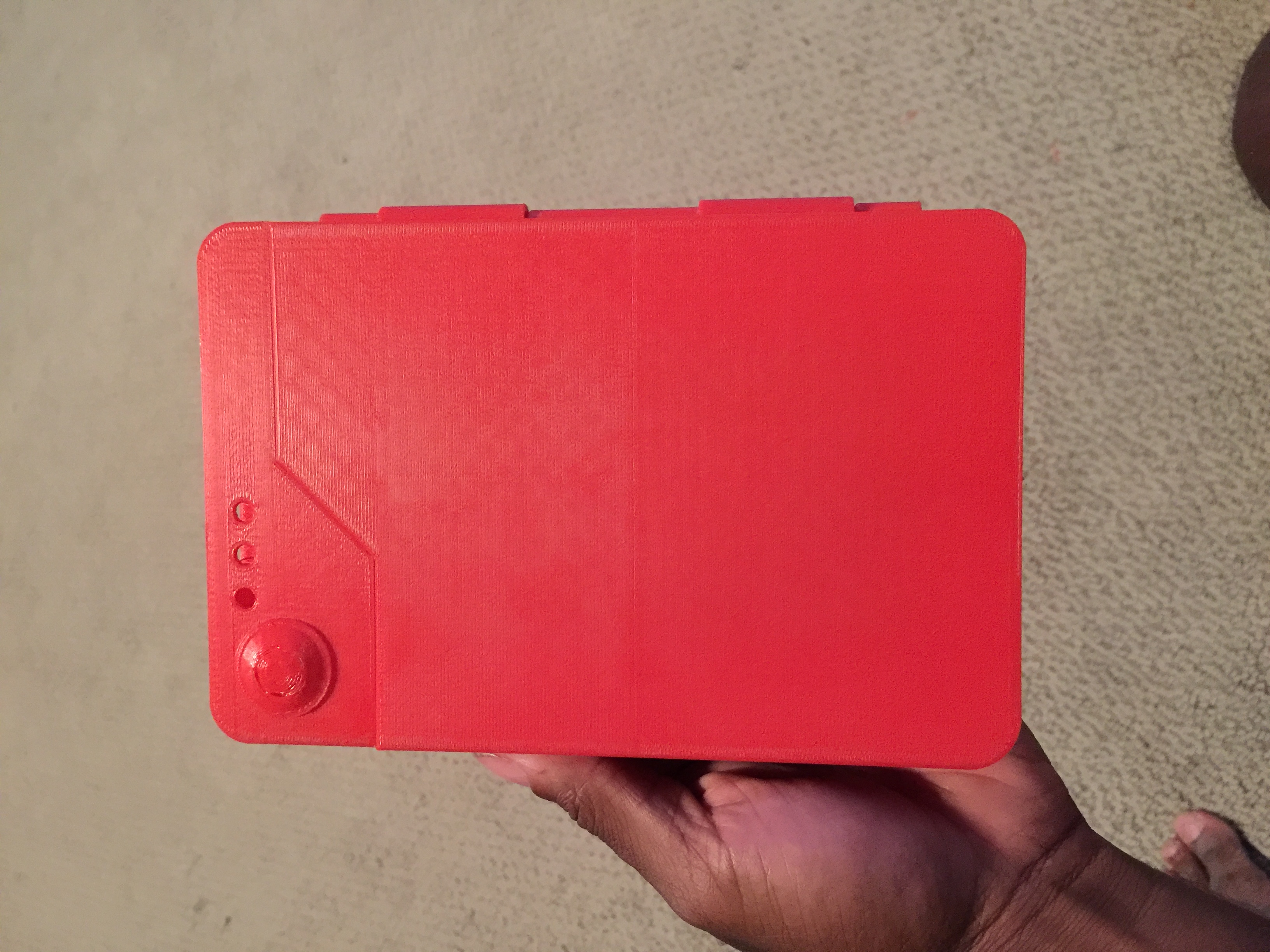
My earlier 3D-printed Pokédex battery case from Below the Fold, closed over the phone.
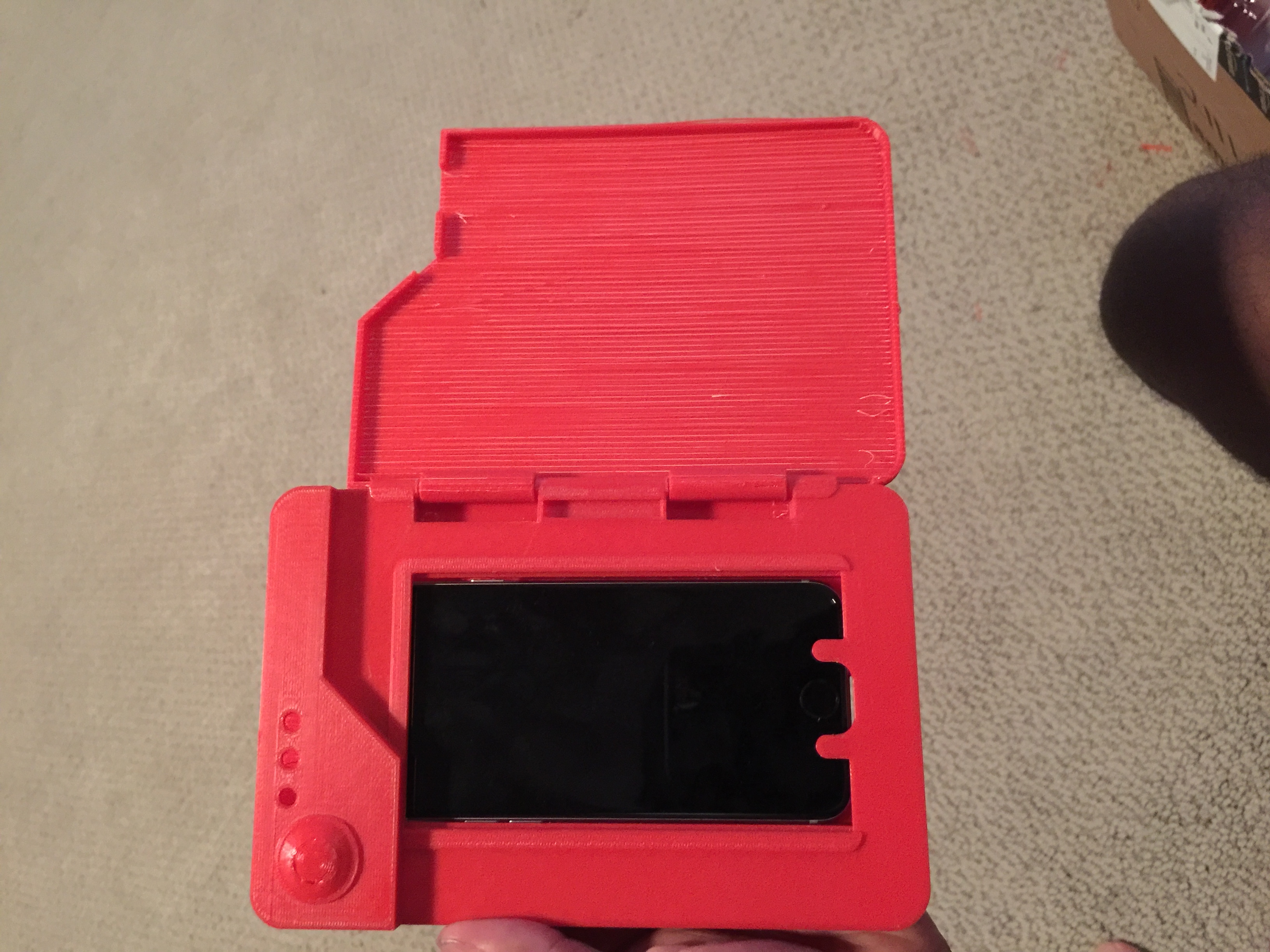
Opening the 3D-printed case showed the iPhone on the left, while the right flap was just a blank plastic lid.
When I started building Dexter, I wanted both halves of that hinged shell to be live screens. In my first iOS build, the two-screen layout was a visual trick for App Store screenshots: I ran the camera viewfinder on one iPhone 16 Pro Max, opened the green status screen on a second iPhone, and stitched the two screenshots side by side with a painted red hinge down the middle.
Once the foldable iPhone Duo simulator landed in Xcode on iOS 27.1, I rebuilt the main container so unfolding the phone opens the Pokédex across the center crease. When folded shut (463 x 951 points), you see the closed left flap and the metal hinge on the right edge. Unfolding to the 951 x 669 point inner display reveals the right-hand data screen and blue mode buttons.
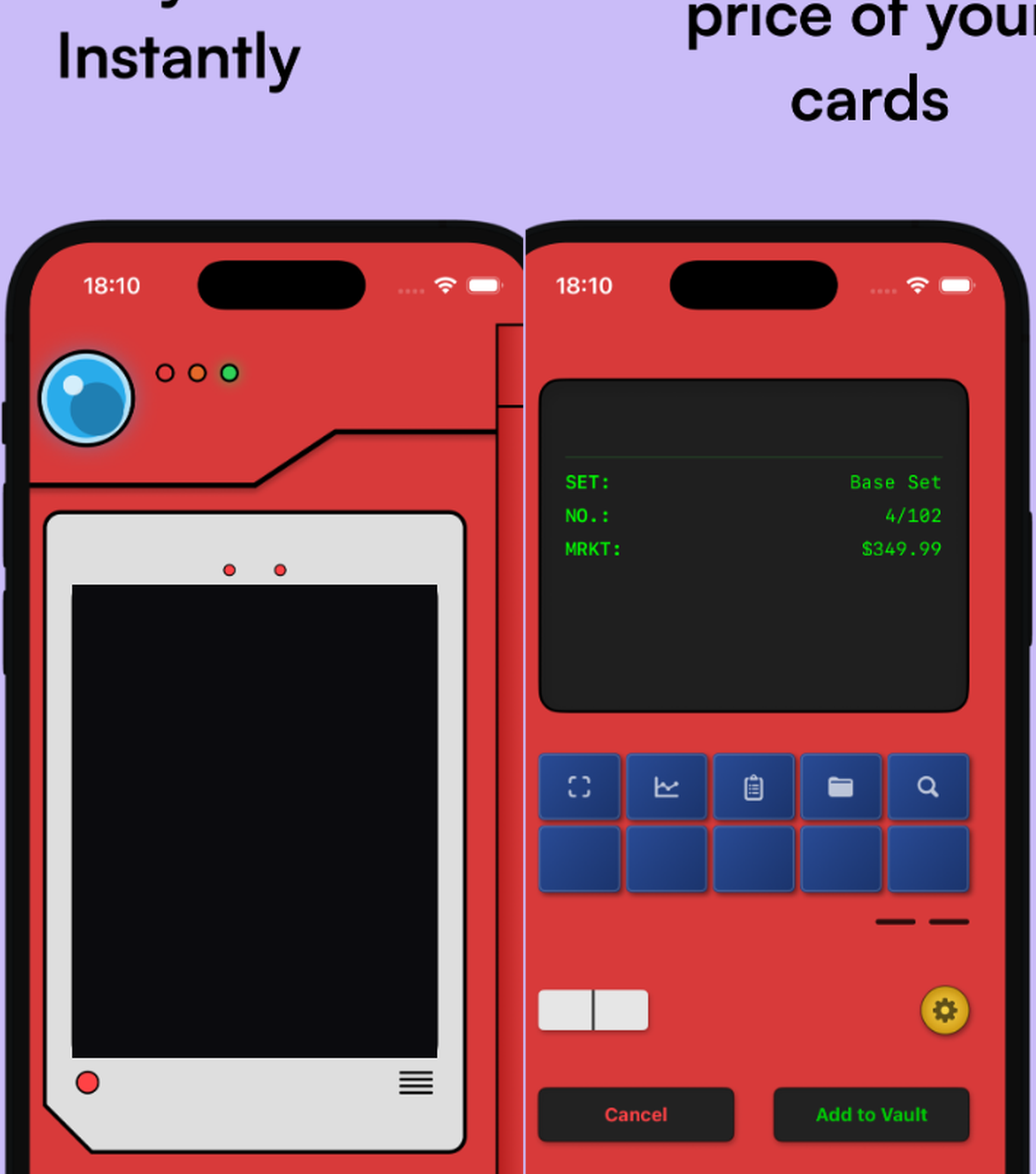
My early two-phone mockup: two separate iPhone 16 Pro Max screens placed side by side to fake a dual-screen Pokédex.
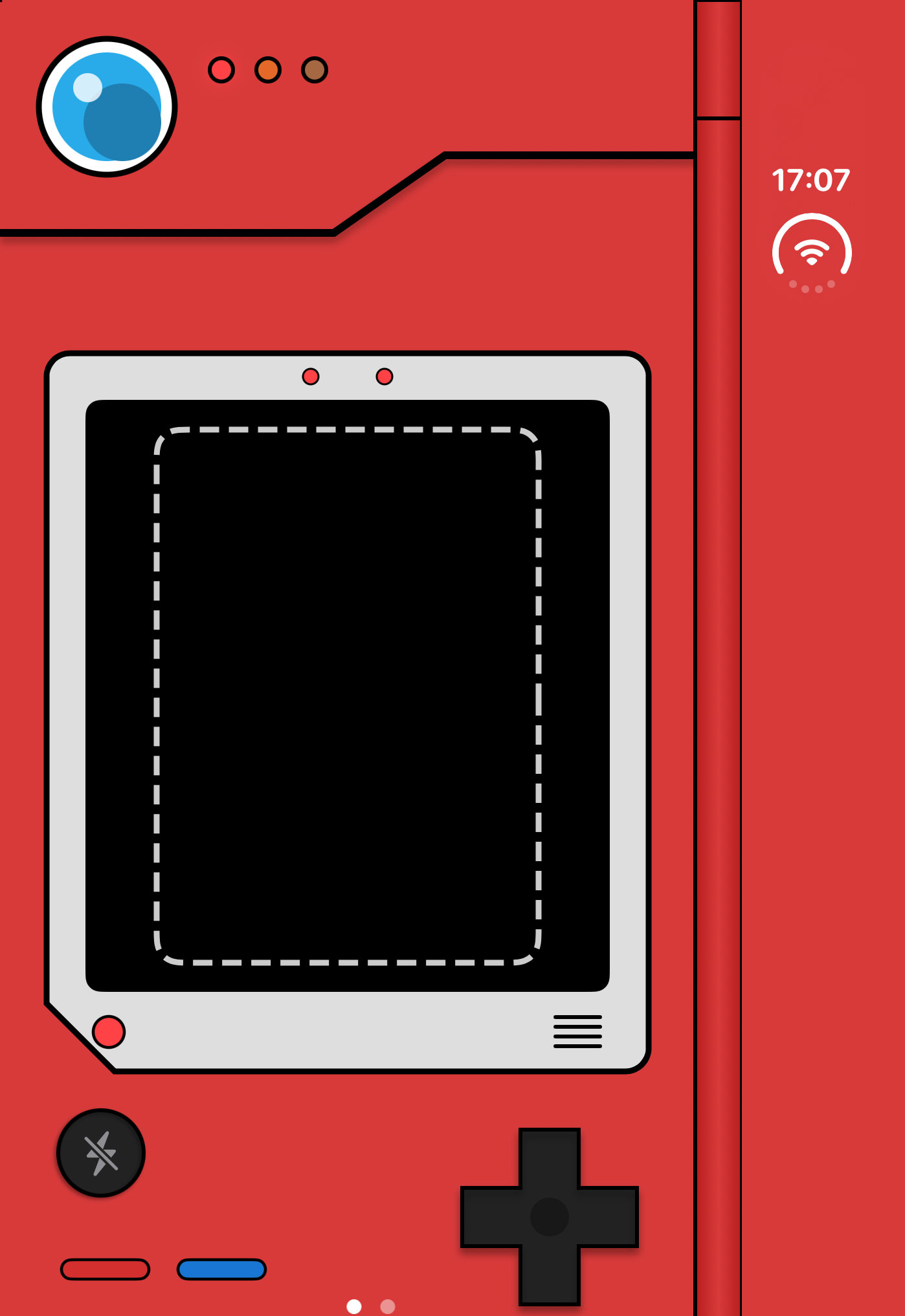
Dexter on the folded iPhone Duo cover screen showing the closed left flap and right-edge hinge.
Fixing the stretched inner screen and clock overlap on iOS 27
Booting the app on the unfolded iPhone Duo simulator broke the layout right away. Even when unfolded to 951 x 669 points, iOS 27.1 still reported a compact horizontal size class in portrait mode, which kept the app in single-screen phone mode and stretched the left camera view across both halves of the display.
I fixed the split check by reading the screen width alongside the size class. Whenever the display opens wider than 600 points, the layout locks into a 50/50 split around a 28-point center hinge. Testing on the simulator also caught a leftover background blur that stayed stuck after closing popups, plus the new iOS 27 top-right clock pill covering the top frame of the right screen. Adding 62 points of top padding on the right flap cleared the clock cleanly.
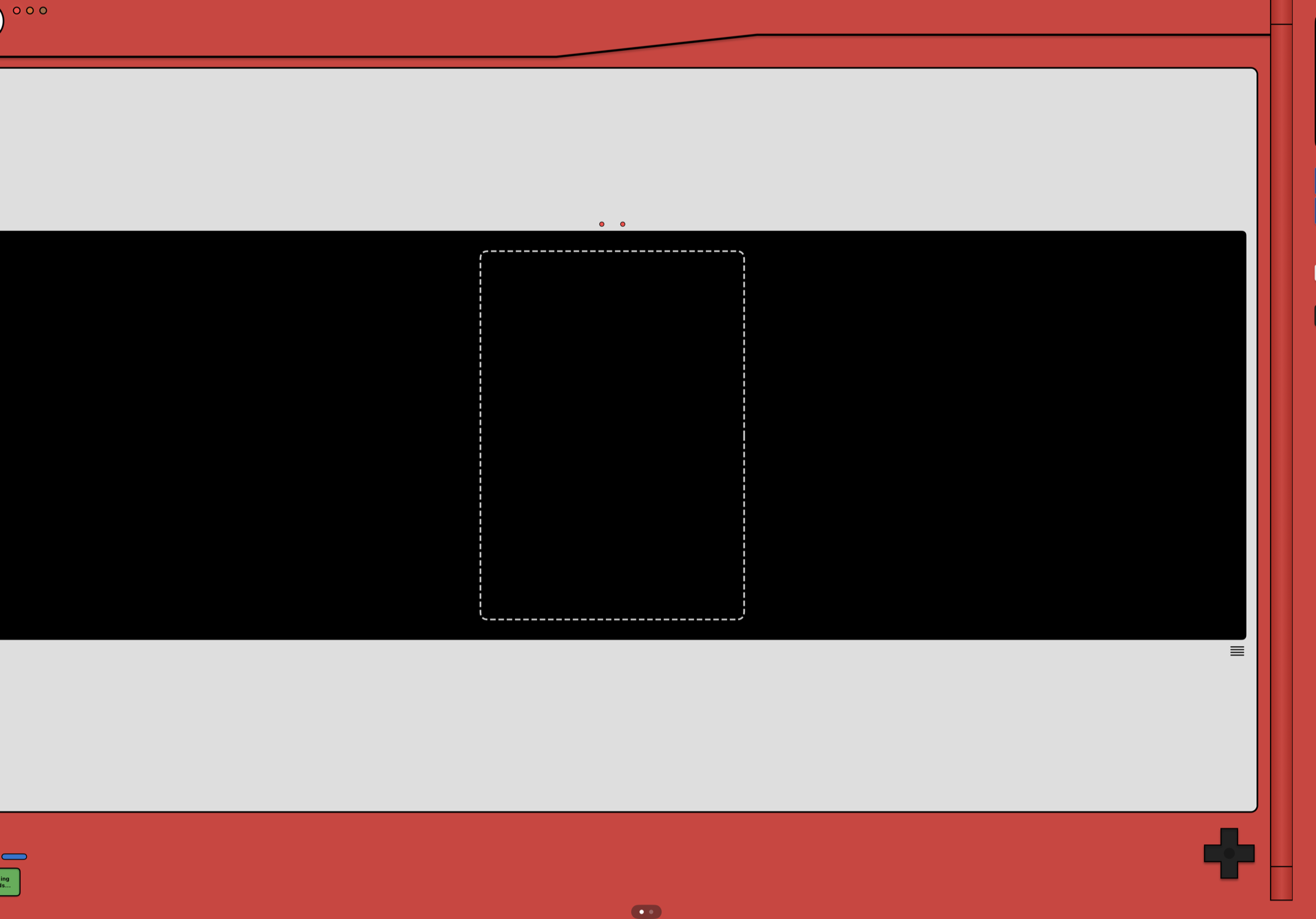
Before: iOS 27.1 still reported a compact size class when unfolded, stretching the single-screen view across both halves.
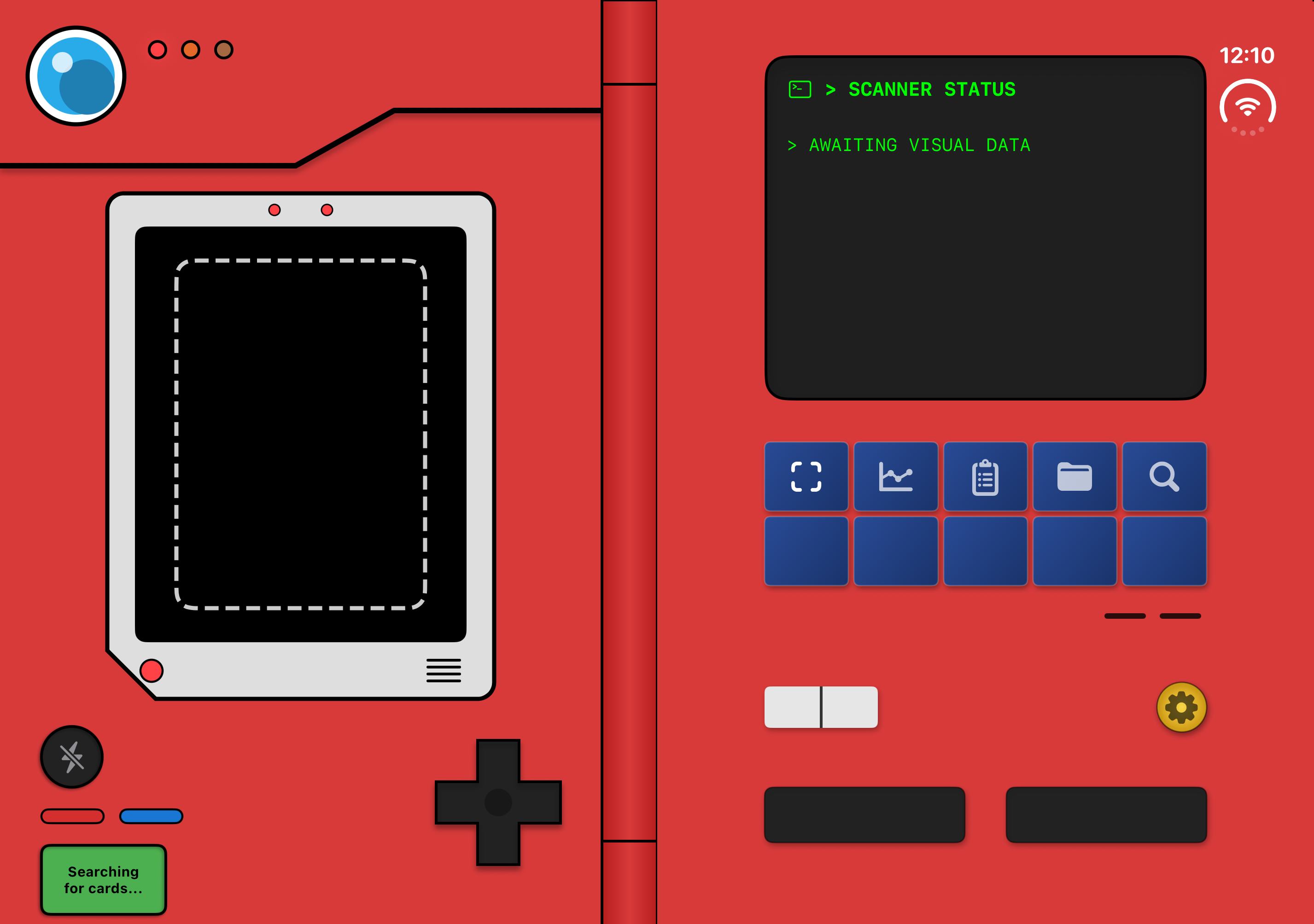
After: Triggering the split past 600 points divides the inner screen 50/50 around a 28-point hinge and clears the top-right clock pill.
Keeping the left camera live while opening sheets on the right flap
Standard SwiftUI bottom sheets caused a second problem on the unfolded screen: opening a set checklist, card detail page, or bounty list covered both halves of the display and blocked the live camera on the left flap.
I wrote a custom sheet modifier that checks whether the phone is open. When folded shut, it uses a normal iOS bottom sheet. When unfolded past 600 points, it slides a drawer up over the right flap only, keeping the camera live on the left while I check off missing Base Set cards or compare bounty targets on the right.
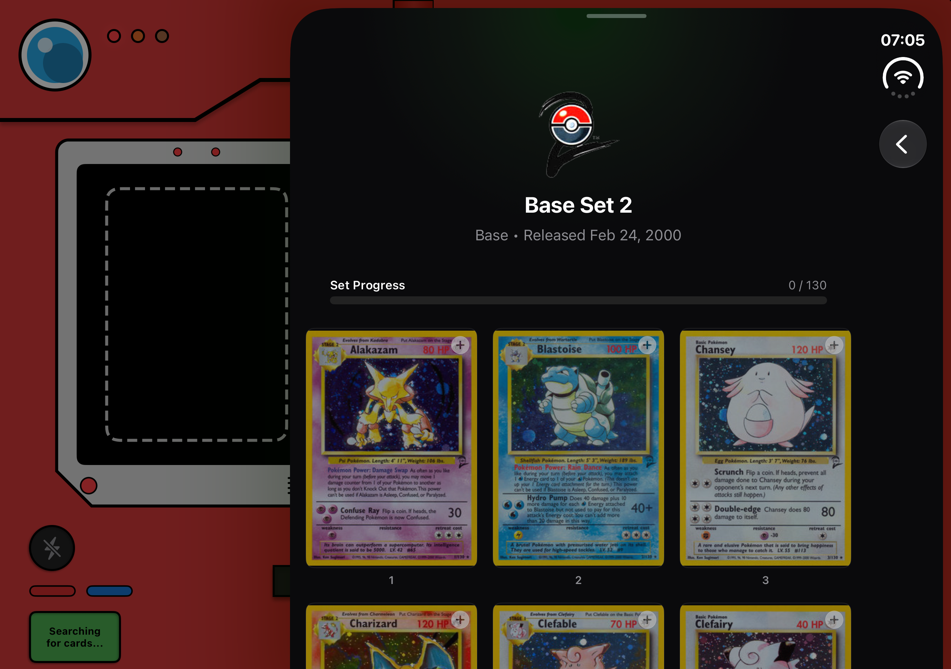
Opening the Base Set 2 checklist inside a right-flap drawer while the camera stays live on the left.
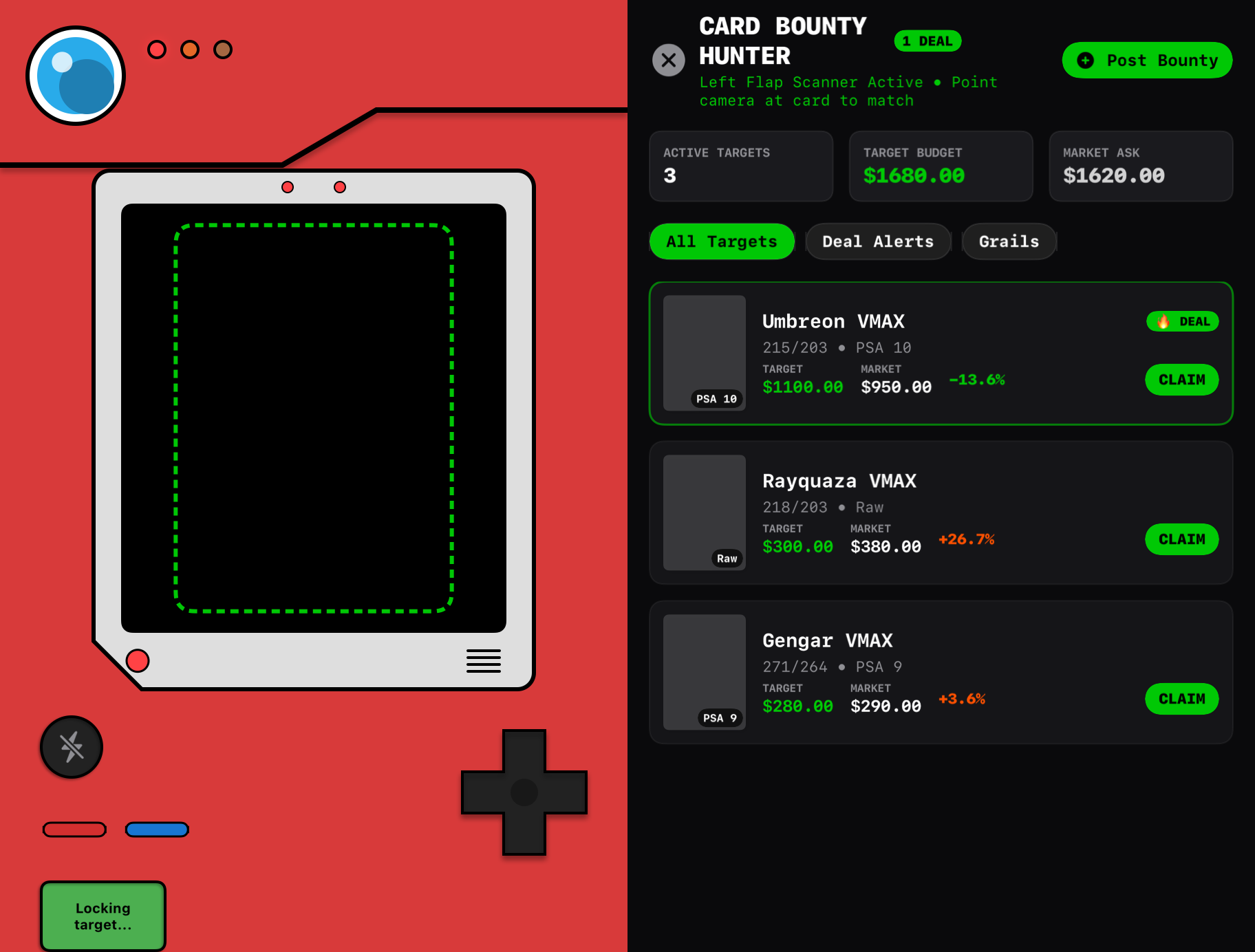
Card Bounty Hunter running on the right flap next to the live camera reticle on the left.
Training a custom YOLO11 model to replace Apple's rectangle finder#
To work offline in convention halls, all card detection and matching run locally on the phone.
In my first prototype, I used Apple's built-in Vision rectangle detector to find card edges and computed a 64-bit perceptual hash. That worked on a bare card lying flat on a dark desk, but broke during real binder sessions. Desk lamp glare on a penny sleeve tricked the detector into grabbing the outer plastic edge, patterned playmats hid the card border, and holding a card at a 10-degree tilt warped its proportions enough that the hash shifted by 14 bits and missed the match.
Generating 5,000 synthetic tabletop scenes instead of hand-labeling photos
To spot tilted cards without hand-labeling thousands of photos, I wrote a Python script that drops 1 to 4 card images onto wood, cloth, and playmat backgrounds with random 360-degree rotations, perspective warps, foil glare, thumb overlap, and motion blur. That gave me 5,000 labeled 1024 x 1024 training images with exact four-corner rotated bounding boxes.
I trained a YOLO11n oriented-bounding-box model on those 5,000 scenes for 25 epochs on an M4 Max MacBook Pro, reaching 99.5% mAP, and exported a 5.4 MB CoreML model for the iPhone's Neural Engine. When the model locks onto a tilted card, CoreImage flattens the four corners into a straight 224 x 312 crop, combines a 512-dimensional feature vector with a 256-bit difference hash, and matches against a local 14 MB index of 7,011 cards in under 15 milliseconds.
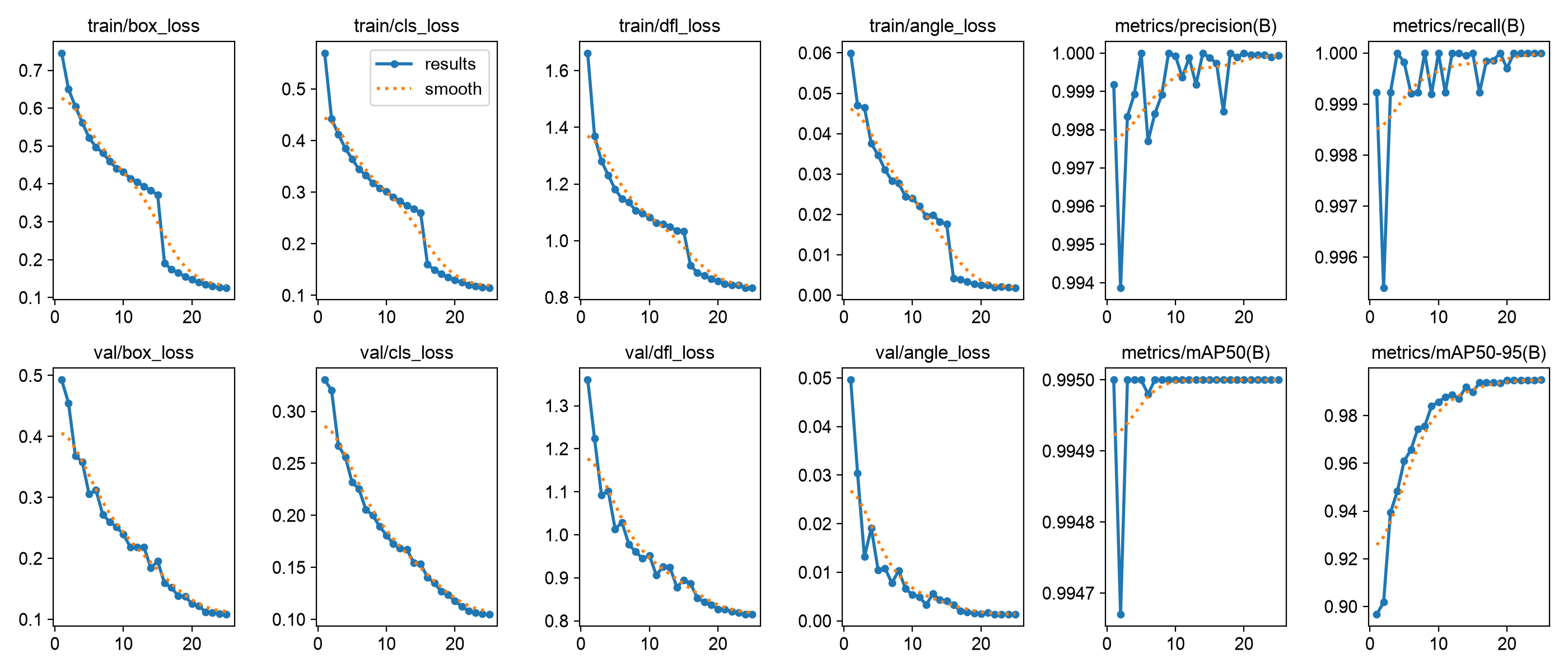
Training and validation curves across 25 epochs on 5,000 synthetic tabletop scenes, reaching 99.5% mAP.
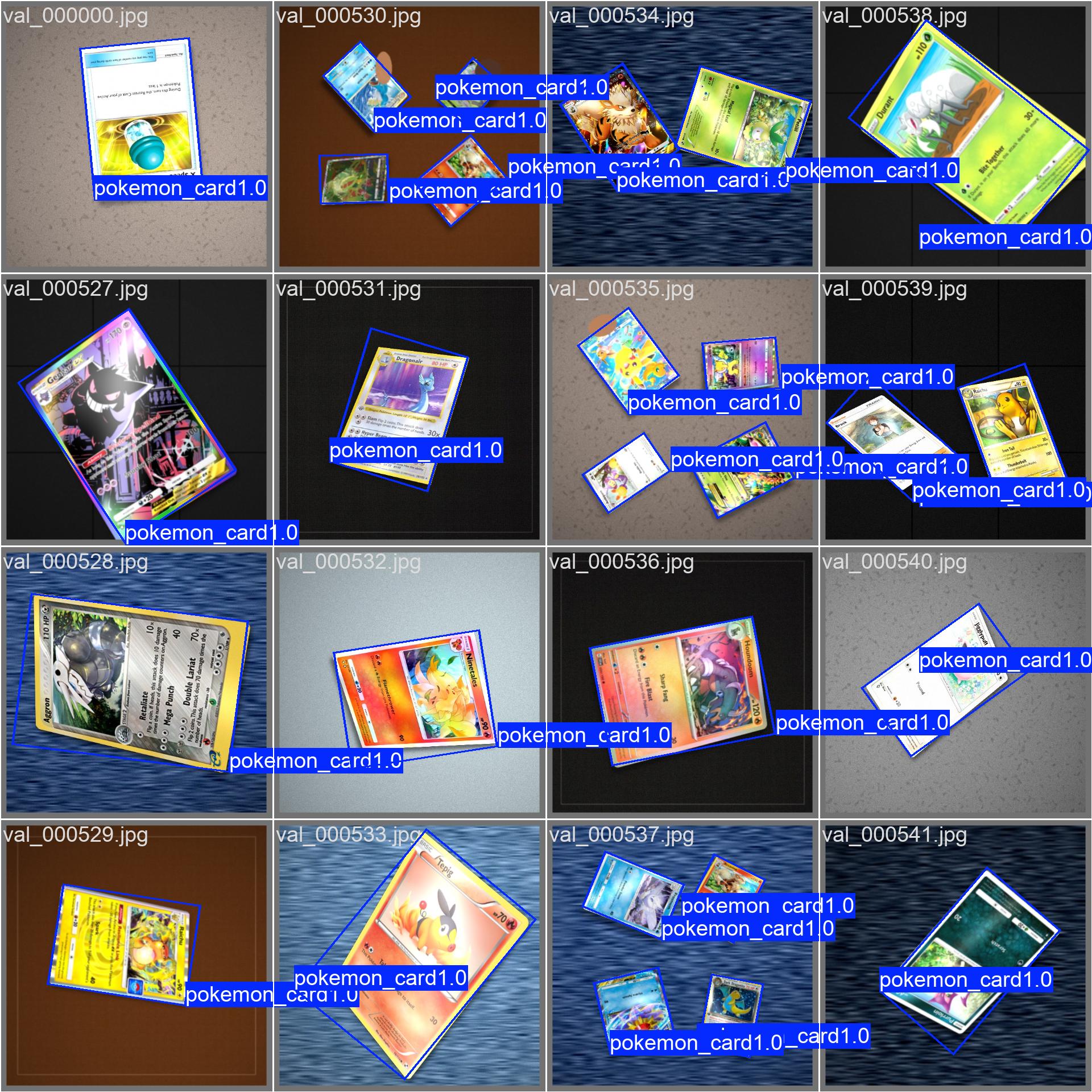
Validation batch showing rotated bounding boxes locking onto tilted, overlapping, and glare-heavy cards.
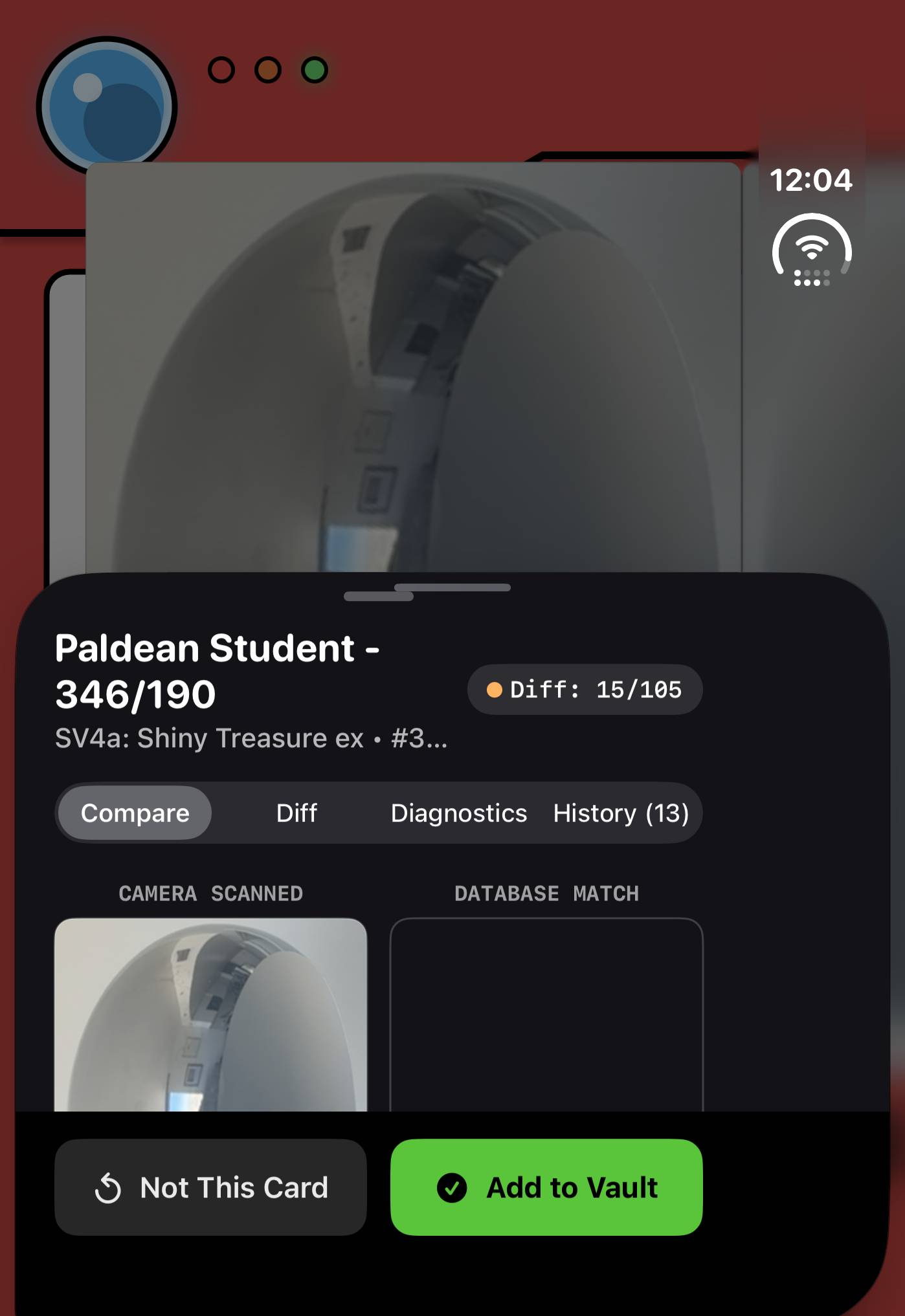
In-app diagnostics view comparing the flattened camera crop against the matched reference card and 256-bit hash.
Tracking graded slabs, Robinhood-style charts, and 60-card decks#
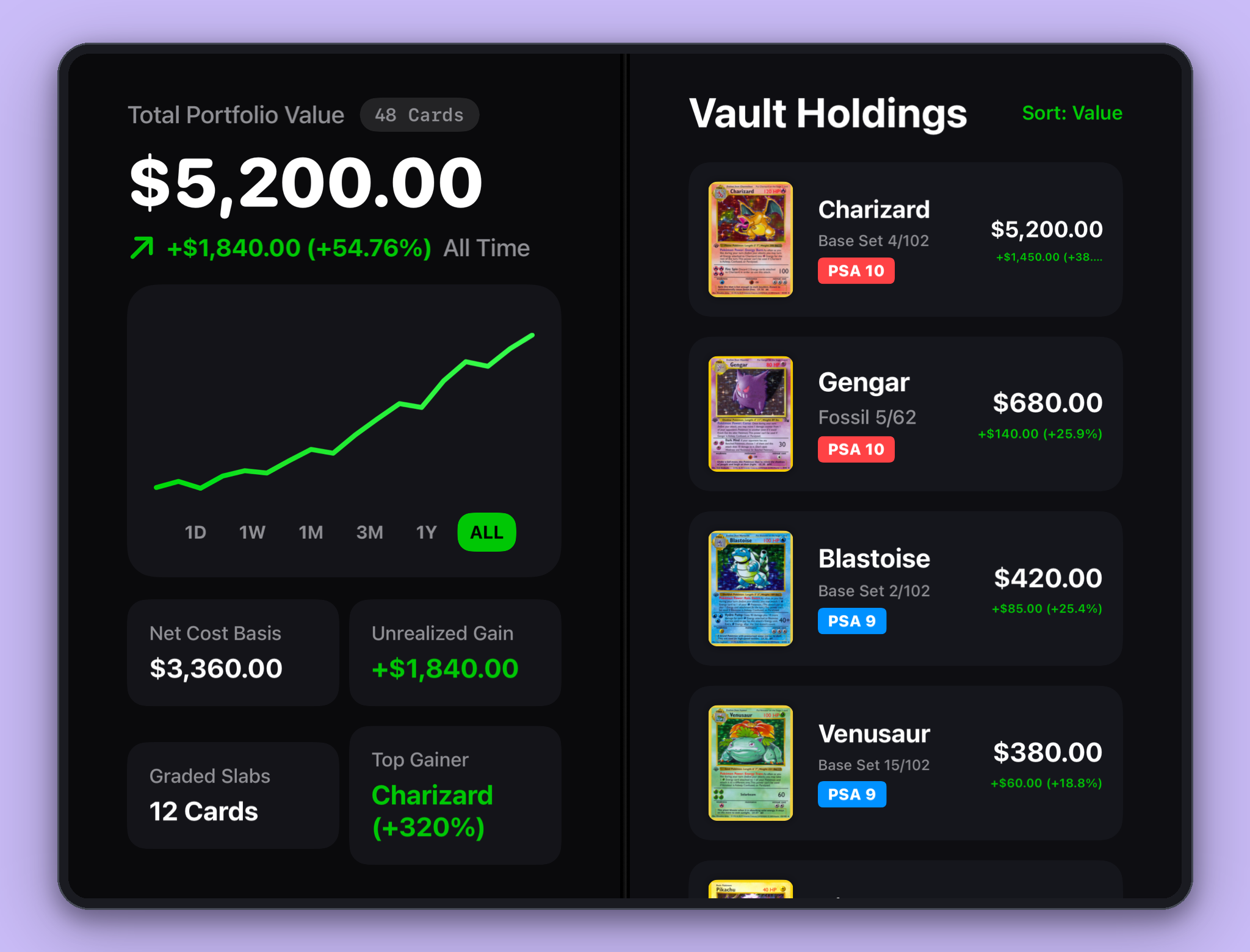
I modeled Dexter's portfolio tab after Robinhood so I could see how my collection moved over time. Using Swift Charts, dragging a finger across the timeline scrubs through past portfolio totals with light haptic ticks, using green and orange-red indicators for daily gains or drops. When you open a card, the detail view reads gyroscope data from CoreMotion to sweep a holographic foil sheen across the card art as you tilt your phone.
Working around free API rate limits and graded price spikes
Free pricing APIs enforce strict rate limits and rarely return a full year of daily history for graded slabs without a paid plan. Dexter checks the Pokémon Price Tracker API first (rotating across three keys when one hits a rate limit), falls back to TCGdex for live TCGPlayer and Cardmarket averages, and caches prices locally for offline browsing. To keep the historical chart from jumping vertically when I grade a card, Dexter saves a daily local snapshot in SwiftData and runs a multiplier backfill: if a raw Base Set Mewtwo is $84.59 and a PSA 10 slab sells for $480, switching the card's grade calculates the ratio and scales earlier local snapshots backward without firing 365 API calls.
Removing the confirm button for 60-card decks
My first scanner prototype popped up a modal after every match and made me tap confirm before scanning the next card, which felt almost as slow as typing names by hand on a 60-card tournament deck. I replaced that flow with a hands-free bulk session. Now I prop the phone on a stand and flip through a stack of cards in front of the lens. Each time a card settles, the app plays a short tone and drops the match into a review tray so I can scan 60 cards in under 90 seconds.
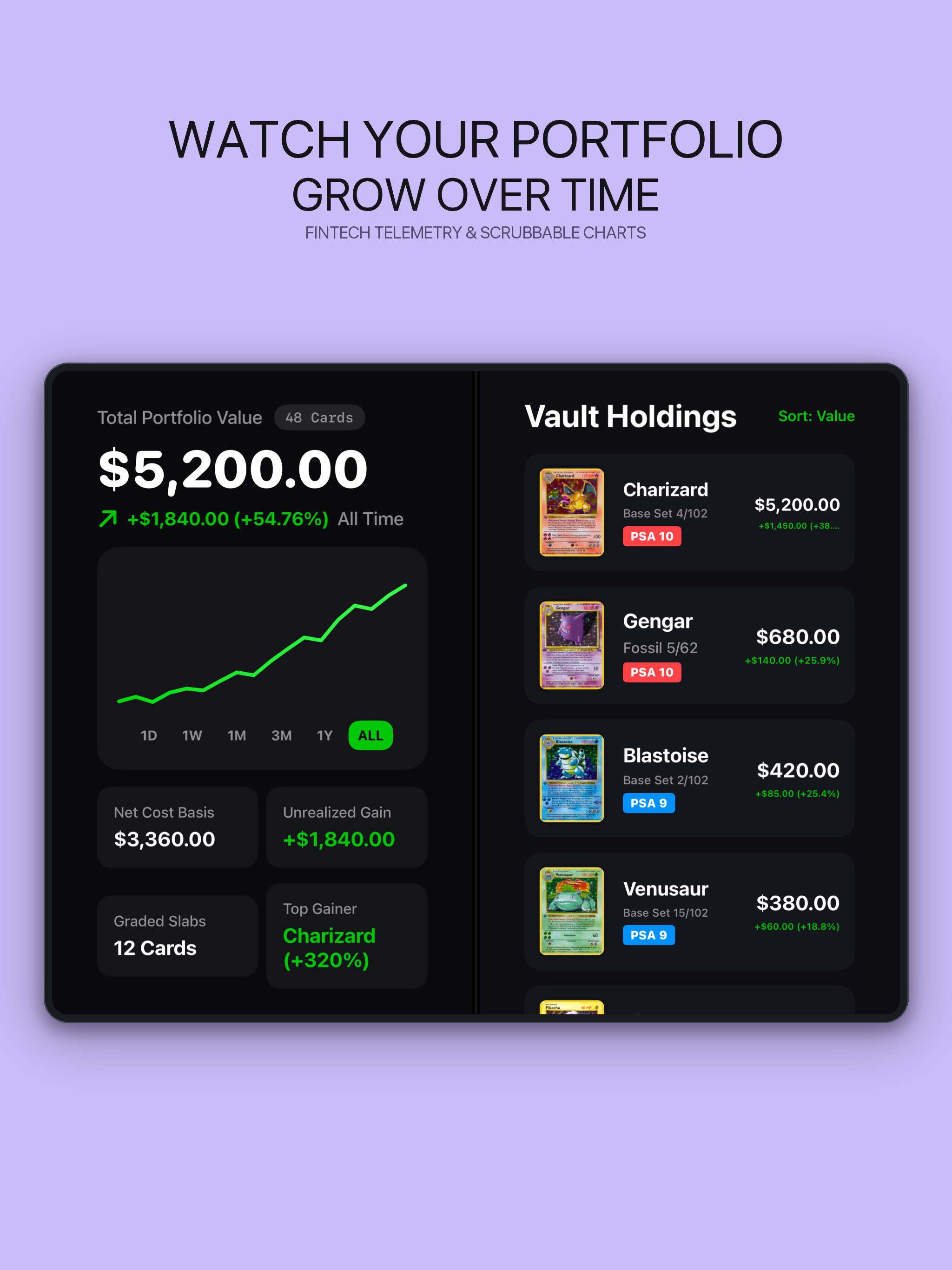
Unfolded portfolio view pairing the scrubbable net-worth chart on the left with sorted holdings on the right.
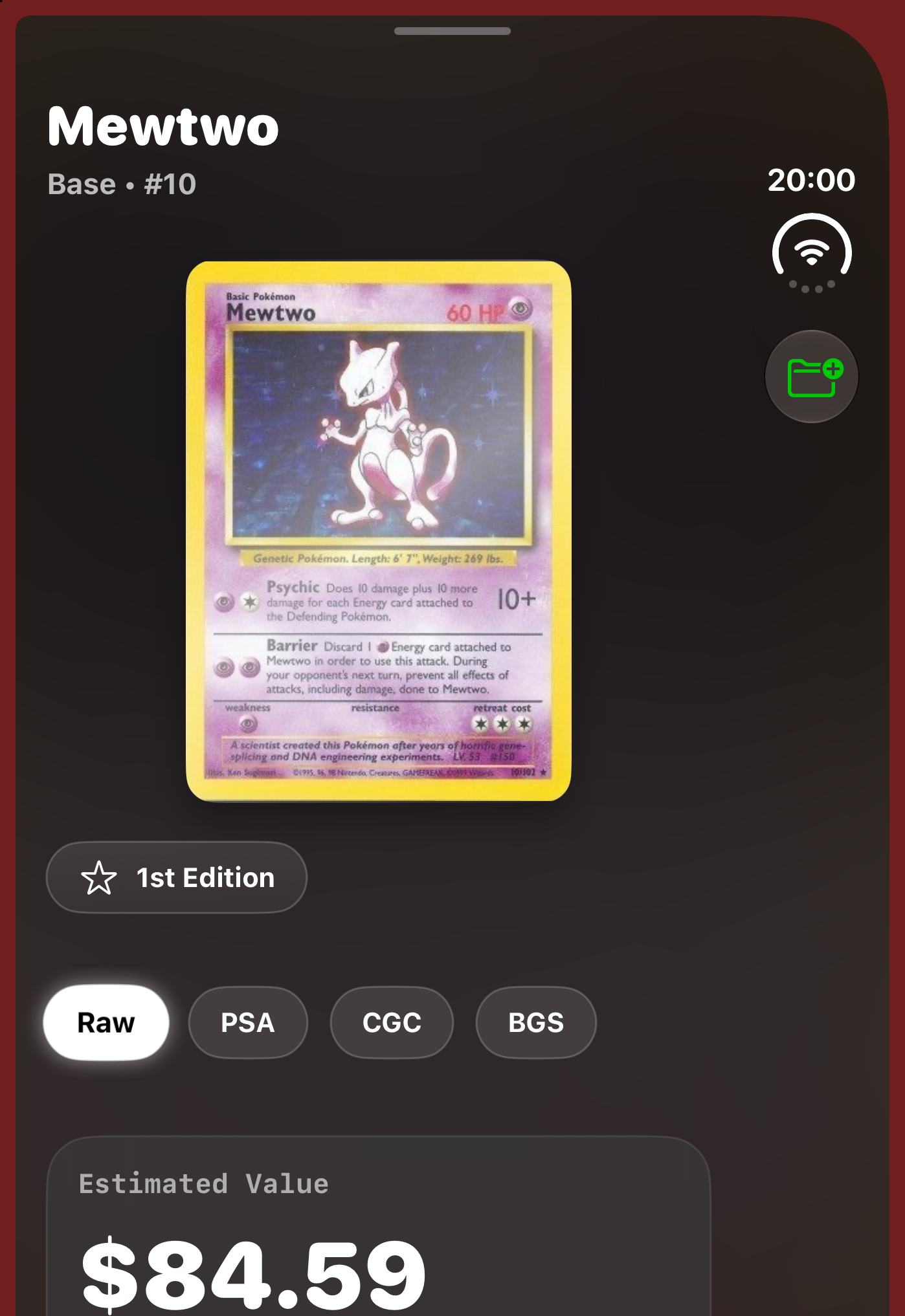
Card detail sheet for Base Set Mewtwo (#10) with Raw, PSA, CGC, and BGS grade selectors and price history.
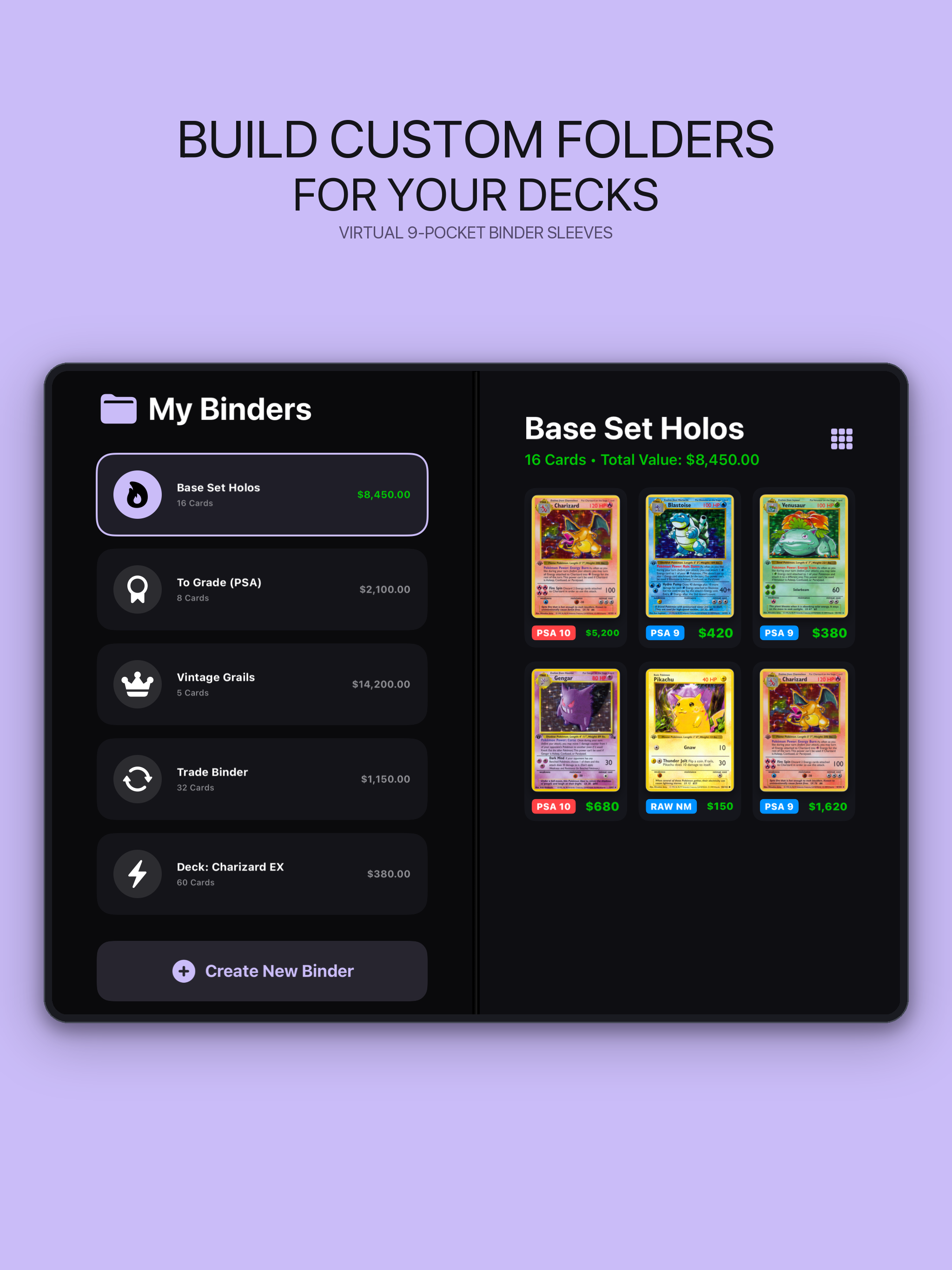
Custom binder folders on the left paired with virtual 9-pocket sleeves on the right.
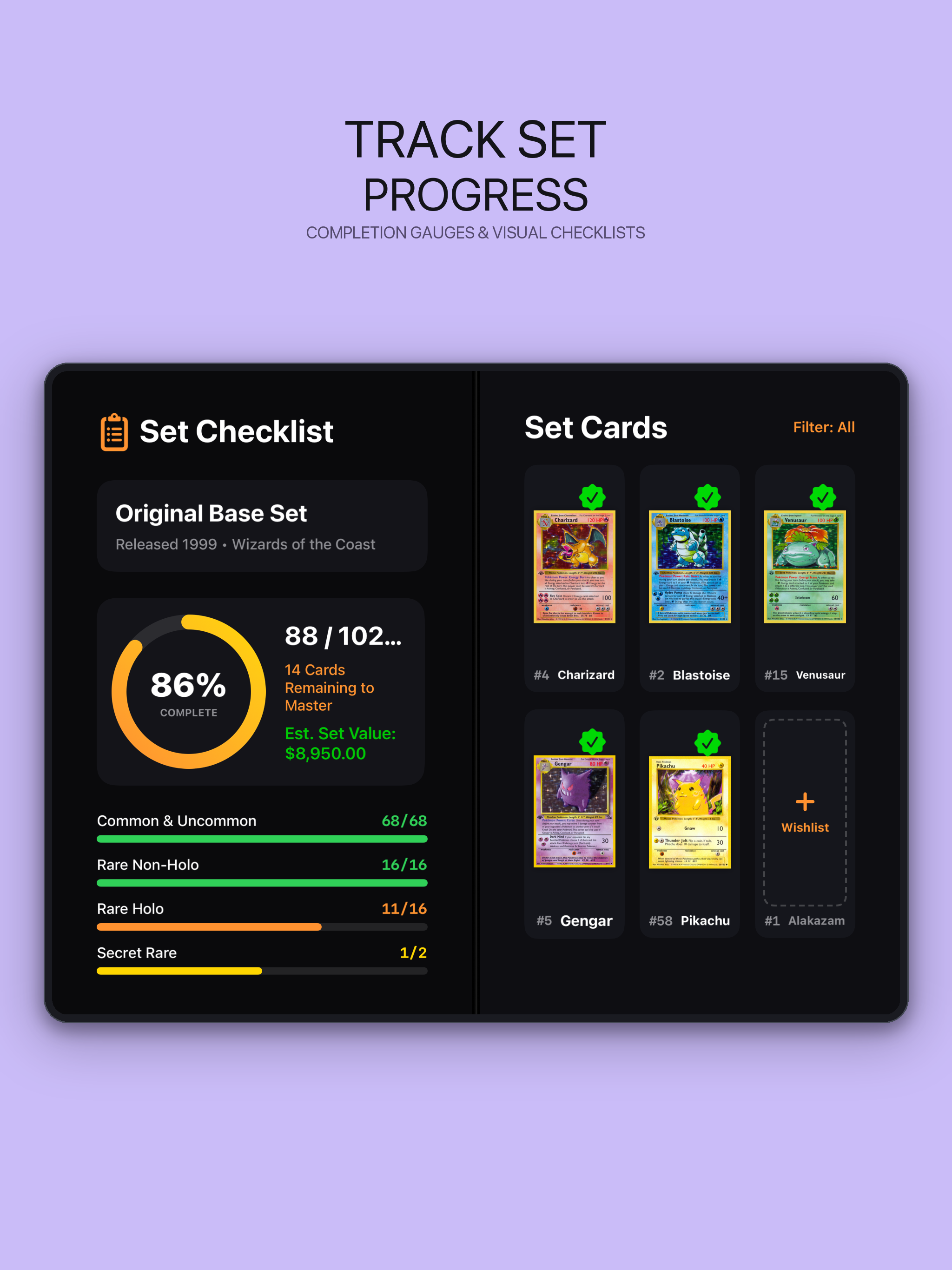
Set completion gauge (88/102 Base Set) and rarity breakdown next to the card checklist.
Framing dual-screen screenshots with Apple's iOS 27 Figma kit#
Before putting together the App Store screenshots, I looked at how apps like Robinhood, Collectr, Flighty, Halide, and Craft show multi-column layouts. Most either float a single 4:3 iPad frame or split one vertical phone screen into software columns, whereas Dexter splits the physical camera on the left flap from the data screen on the right.
To frame the dual-screen simulator captures accurately, I pulled the open (2853 x 2007) and closed (1389 x 2853) iPhone Duo hardware bezels out of Apple's iOS 27 UI Kit in Figma and wrote a small Python script with Pillow. The script takes raw simulator screenshots, lines them up behind the center hinge notch and punch-hole camera cutout, and composites the 6-panel App Store showcase in one command.
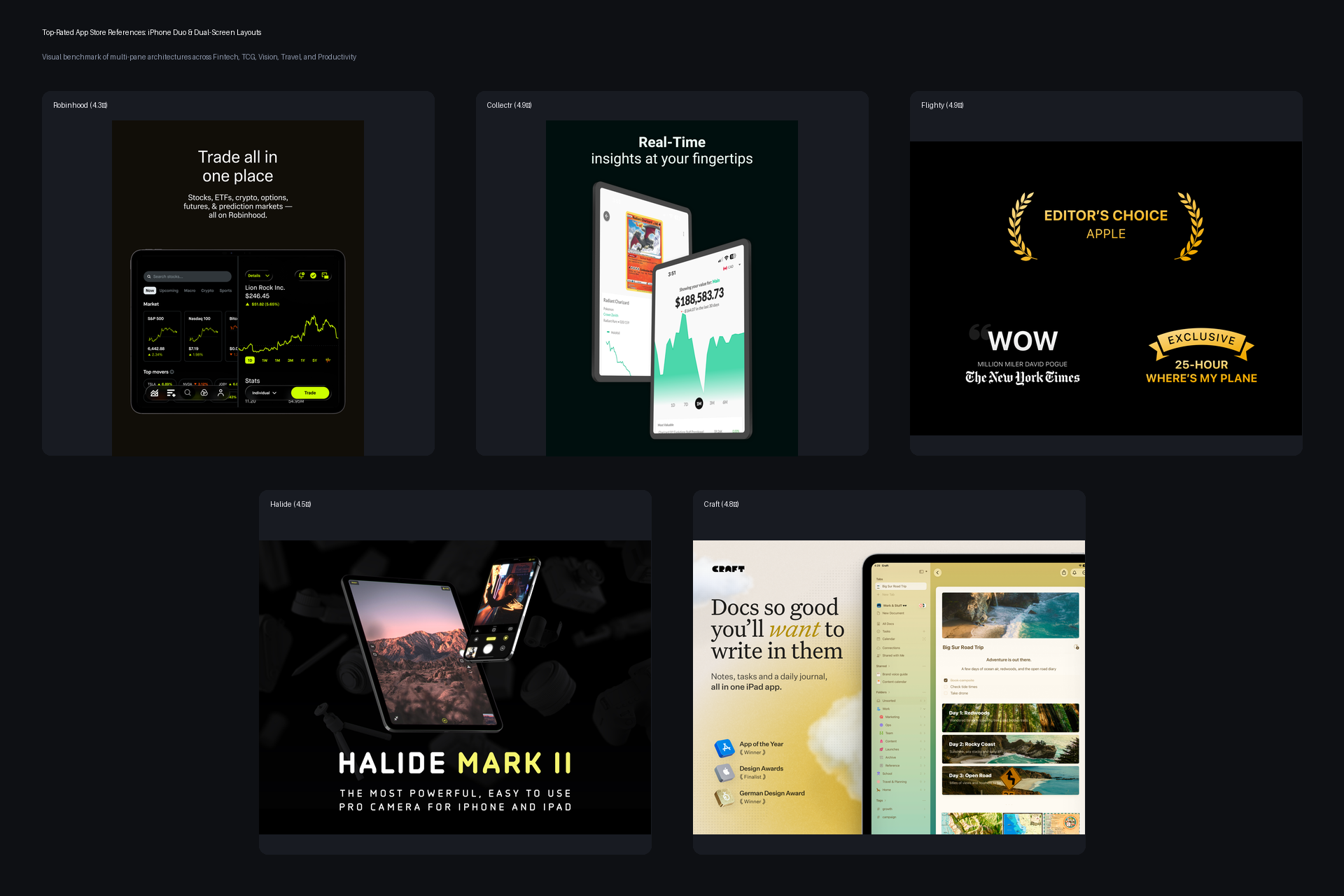
Comparing multi-pane App Store layouts across Robinhood, Collectr, Flighty, Halide Mark II, and Craft.
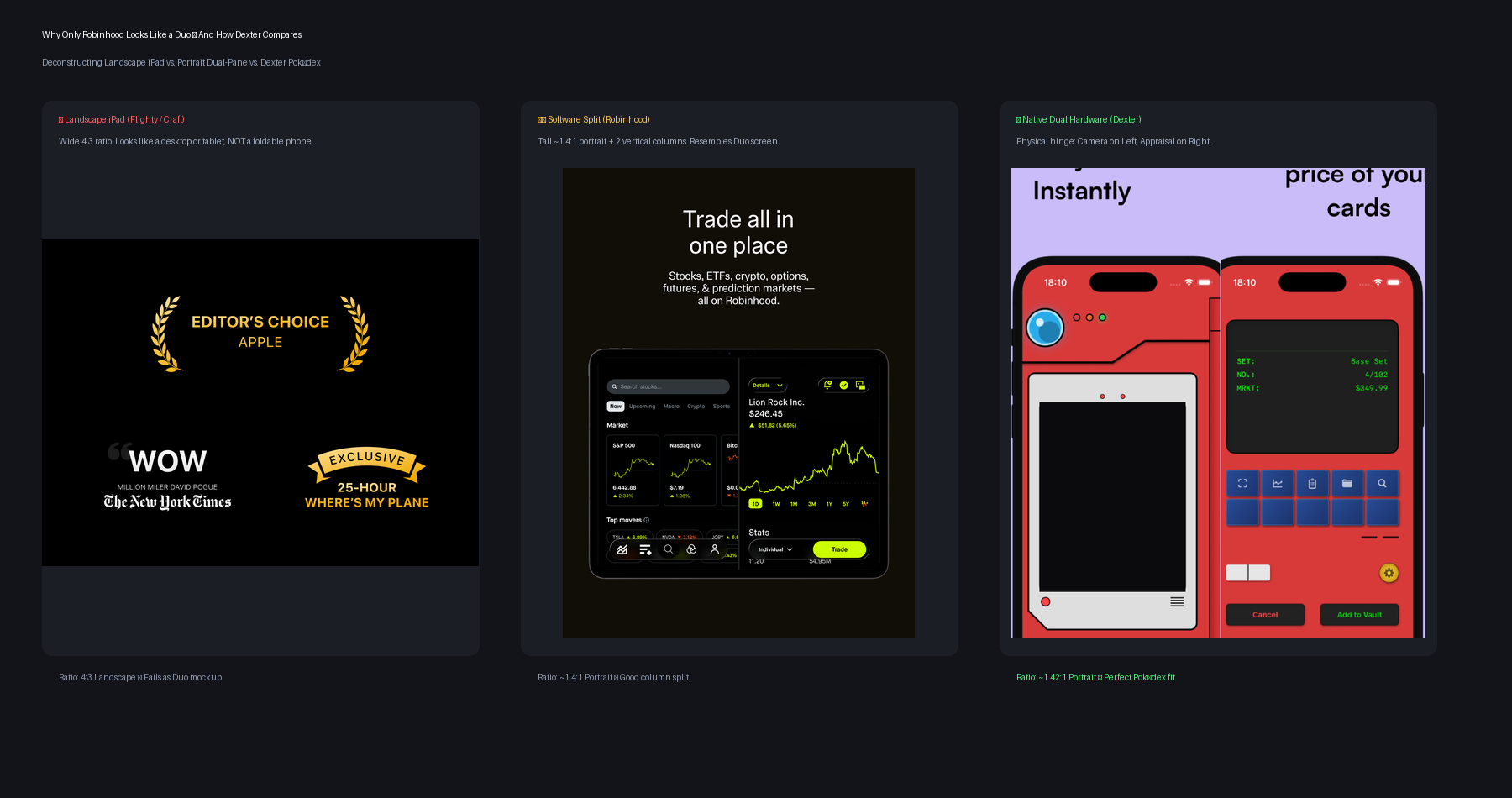
Comparing standard 4:3 iPad mockups and software column splits against Dexter's physical left-and-right flap split.
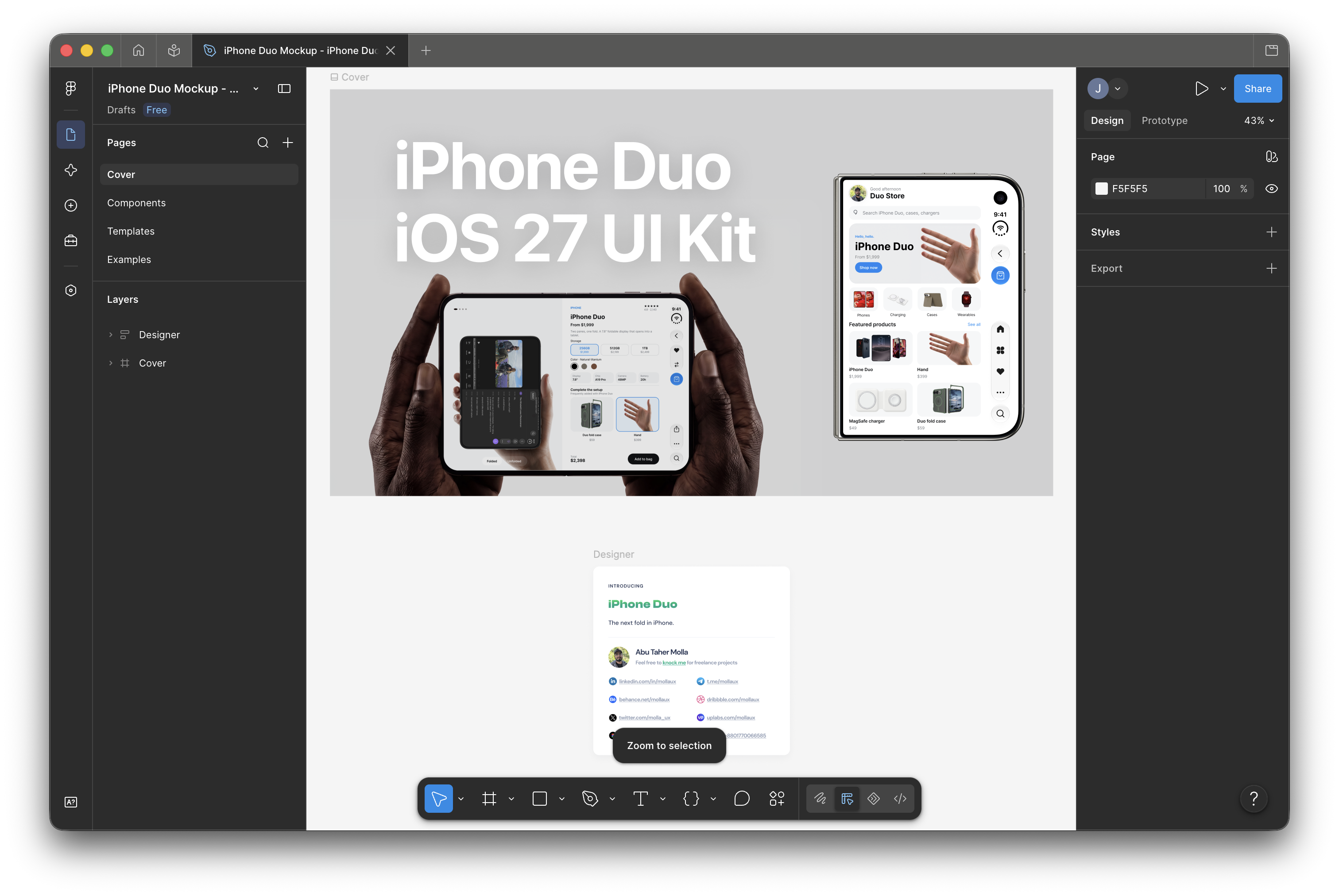
Inspecting Apple's iPhone Duo iOS 27 UI Kit bezel components and safe-area masks in Figma.
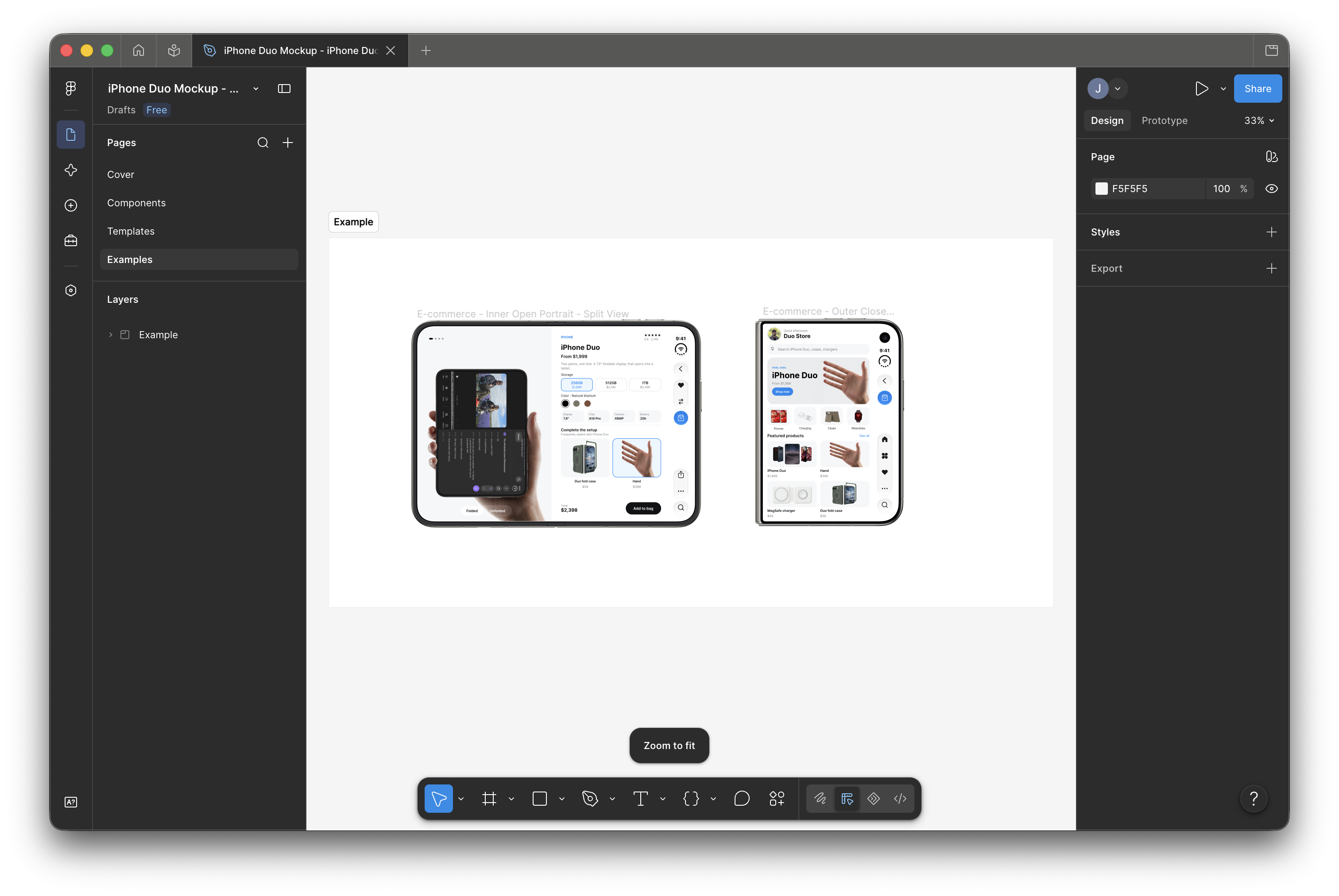
Exporting the open and closed dark hardware bezels from Figma for the Python compositing script.
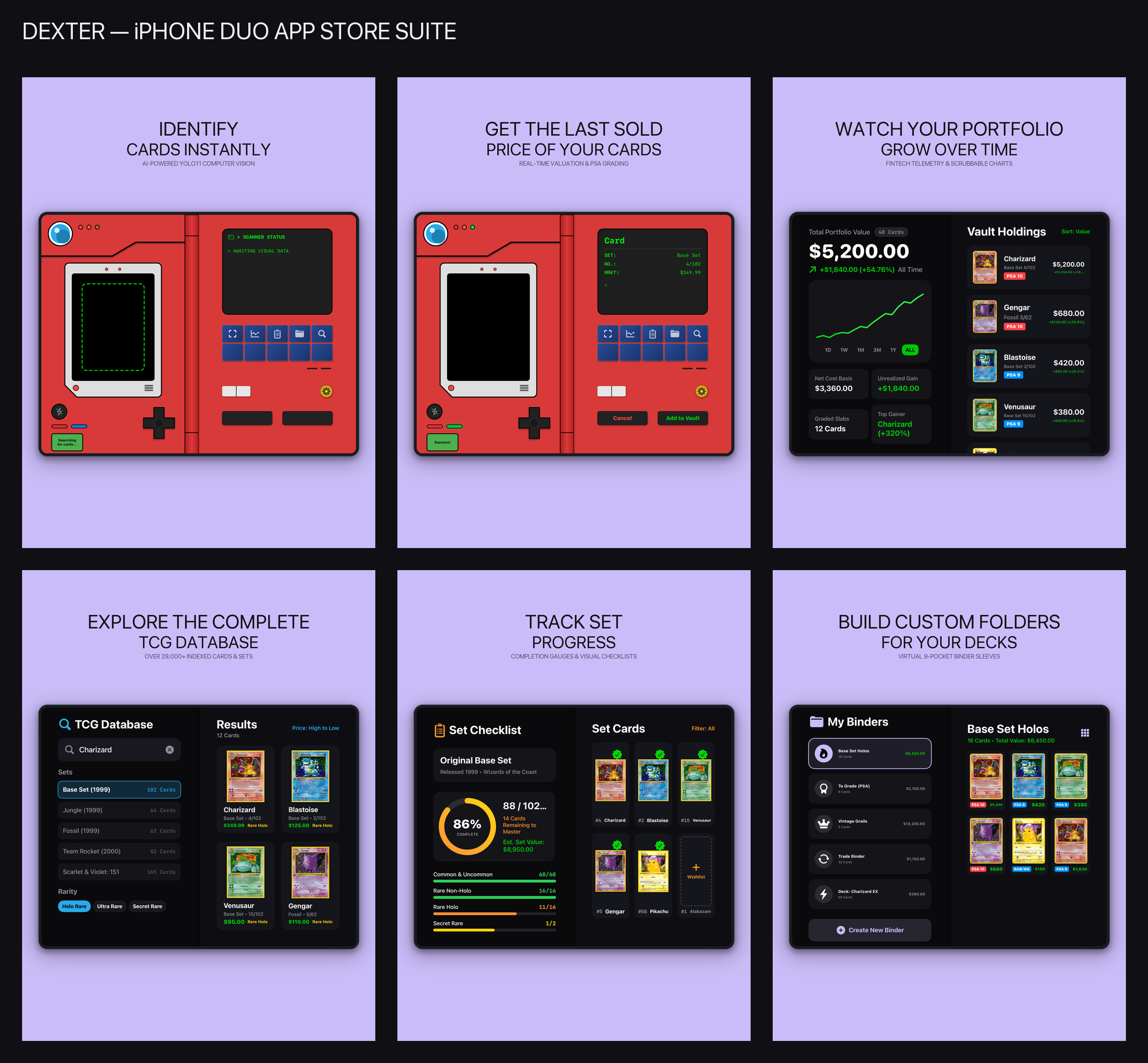
The finished 6-panel iPhone Duo App Store screenshot set generated by the Python framing script.
Pricing trades at the desk#
All three of my binders are now indexed in the app by set completion and binder page. When a friend comes over to trade or I pull a holo from a pack, I unfold the Pokédex on the desk, hold the card under the left camera for a second to see its graded and raw market prices on the right screen, and check whether I already own a copy.
Screenshots#
Unfolded Pokédex scanner with live camera bounds detection.
Right-flap screen displaying matched card details and market price.
Dual-screen portfolio valuation, scrubbable sparkline, and vault holdings.
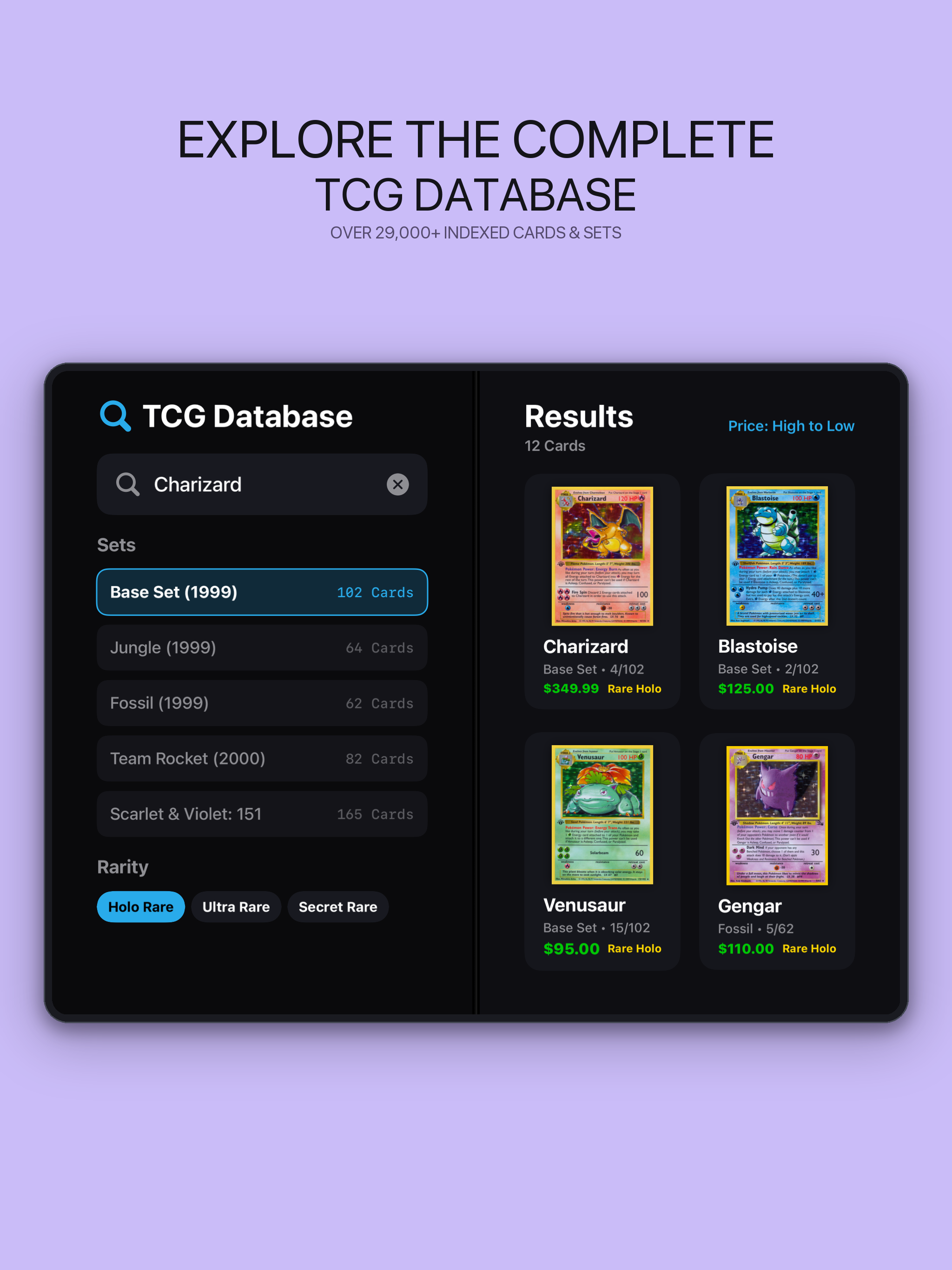
Offline card database search with set and rarity filters.
Set completion gauge and visual card checklist.
Custom binder folders and virtual 9-pocket sleeves.