
TL;DR#
Designed to make live sports, free broadcast streams, and home media servers feel like normal TV on Apple TV and iOS. Built with a two-engine video player, background playlist indexing, a ten-foot voice assistant, and four-game multiview.
Trying to watch live sports and free TV streams on an Apple TV#
I started PickFlick in early 2023 to watch live sports and free TV streams (like public broadcast playlists) on my Apple TV. As US streaming hit 278 billion watch hours (Nielsen), live sports split across 8 apps and 1,870+ free ad-supported channels (Gracenote), pushing search time to 10.5 minutes (Nielsen).
Loading channel playlists or a home media server on a TV was a four-step chore:
- Typing a 90-character URL with the Siri Remote.
- Scrolling 10,000 raw channel names like
US_ESPN_HD_720P_RAWwithout posters or schedules. - Hitting black screens when Apple's video player rejected a broadcast format.
- Losing watch progress and saved channels between phone and TV.
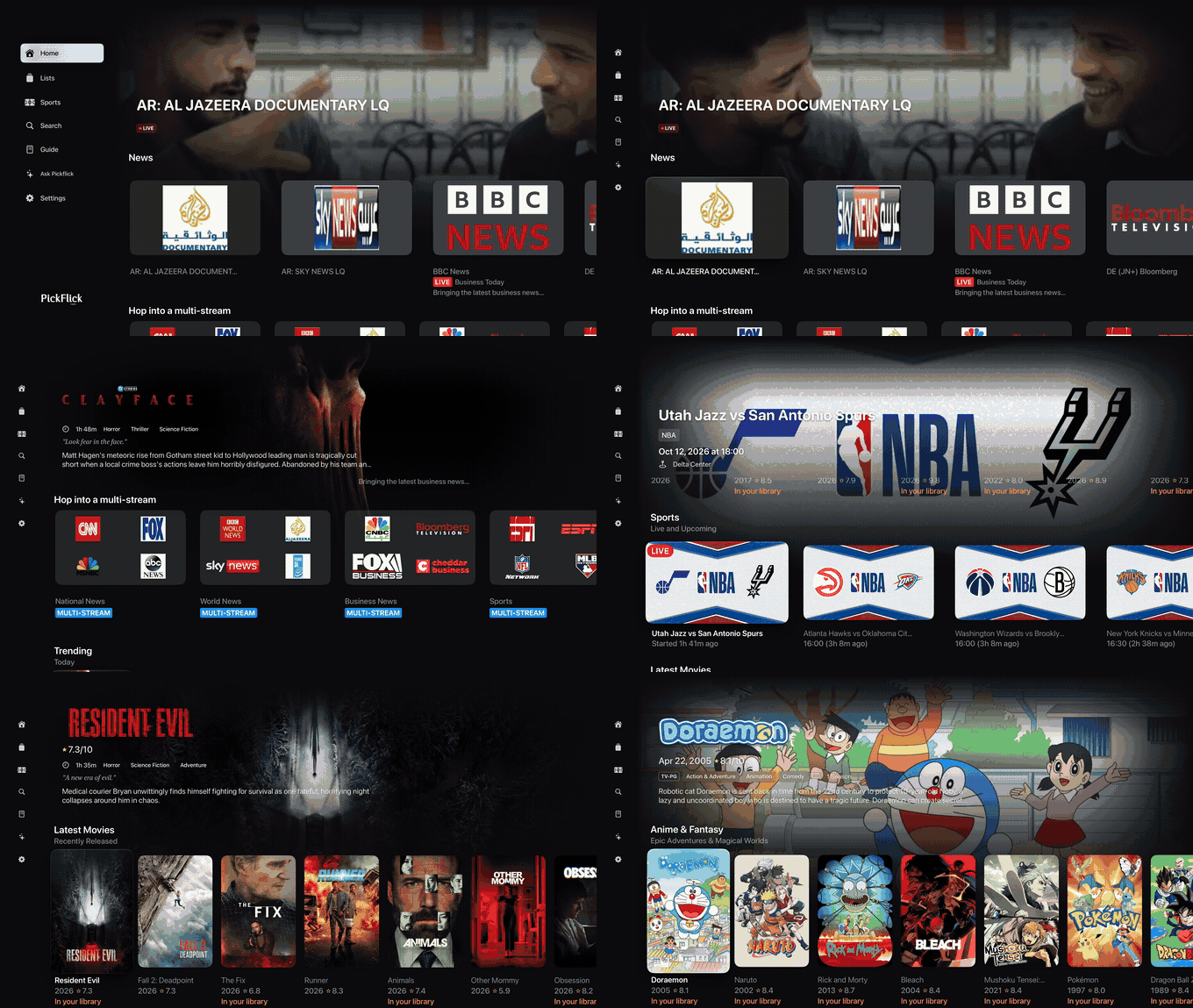
PickFlick on Apple TV 4K: browsing home shelves, live news, and recommendations
Try the app in your browser#
I connected a live iPhone and Apple TV simulator on my Mac so you can test the app below with touch or the Siri Remote.
Starting with Kaleidocast and hitting three walls#
My 2023 prototype, Kaleidocast, ran on macOS, iOS, and tvOS and showed what breaks on a TV.
1. A third-party video player broke the Siri Remote
Apple's built-in video player choked on many live broadcast formats, so I swapped in VLC's mobile player with custom controls. It played almost anything, but Siri Remote swipes lagged, Picture-in-Picture broke, and software decoding heated up my phone.
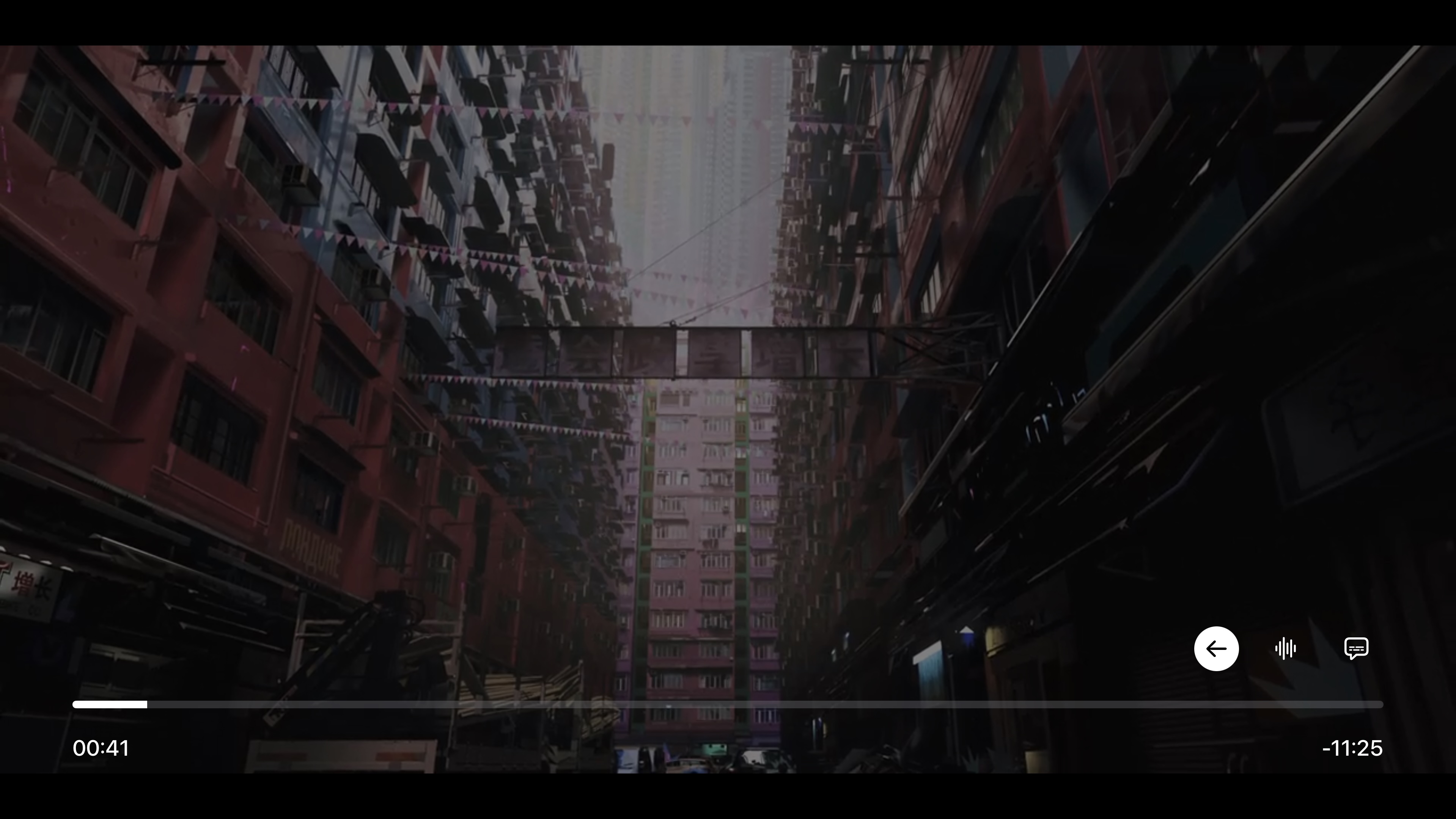
2023 Kaleidocast prototype on Apple TV: custom playback controls built over a third-party video player
2. Loading 50,000-line playlists froze launch
My first playlist and TV schedule parser read whole files into memory at once. It worked on 200 test channels, but 50,000-channel lists locked the app for ten seconds and crashed Apple TV on launch.
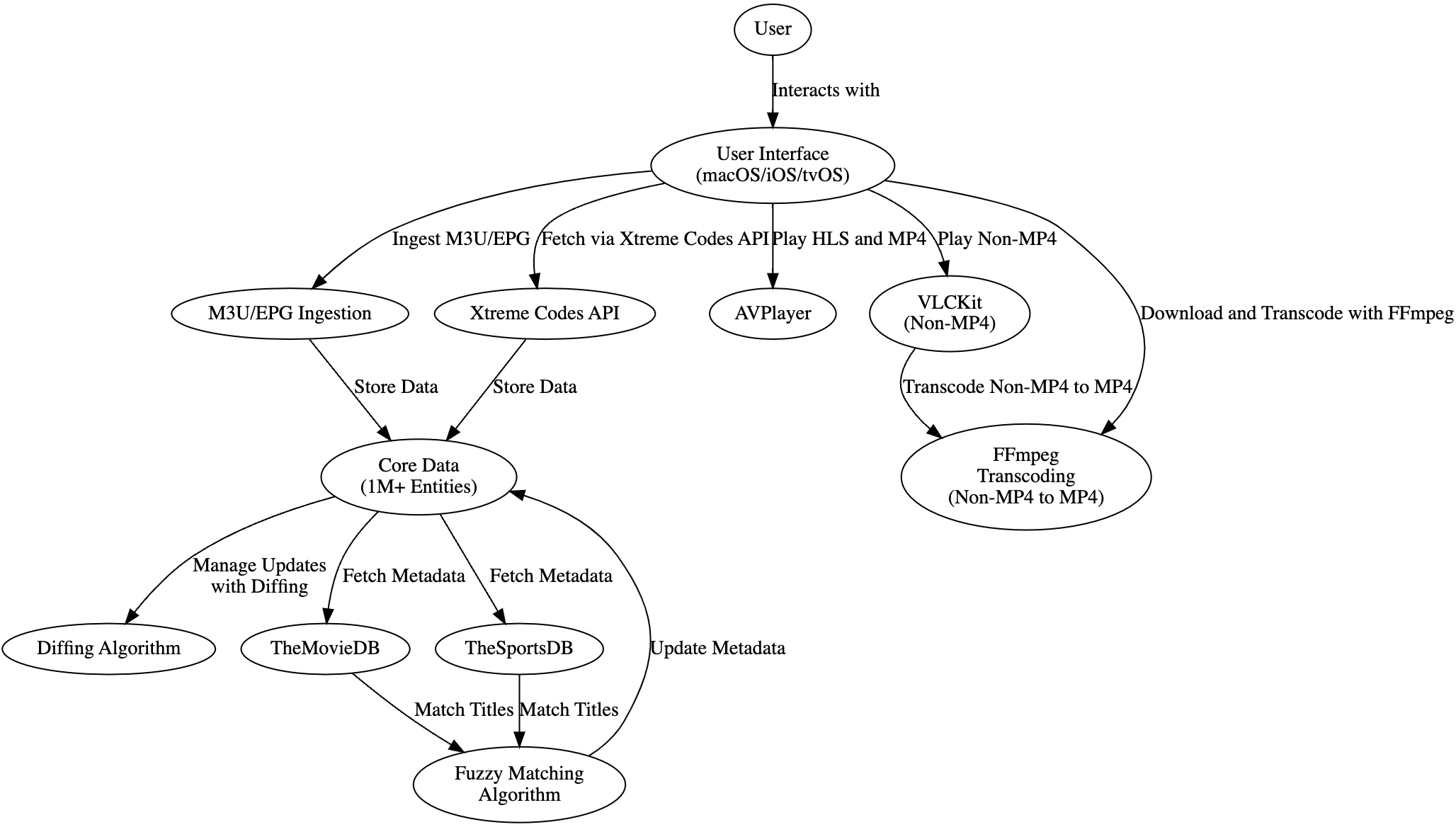
Early system diagram mapping out background playlist loading, database updates, and video player fallback
3. Static guide tables cut away from video
My first TV guide drew raw schedule text in gray boxes. Clicking a channel cut straight to a loading spinner, making it painful to flip through channels.
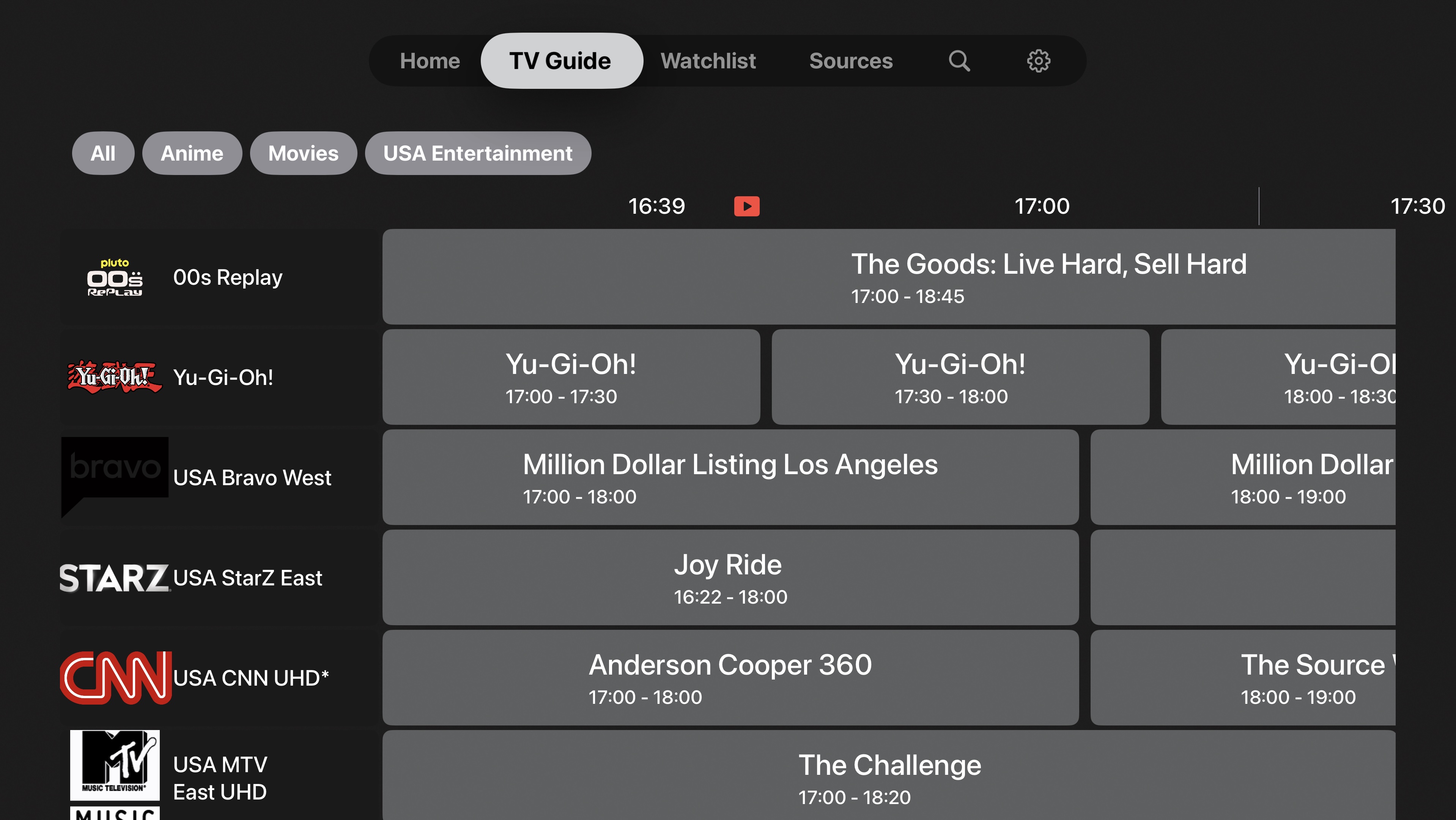
First Apple TV guide iteration: flat gray schedule blocks with no live preview player
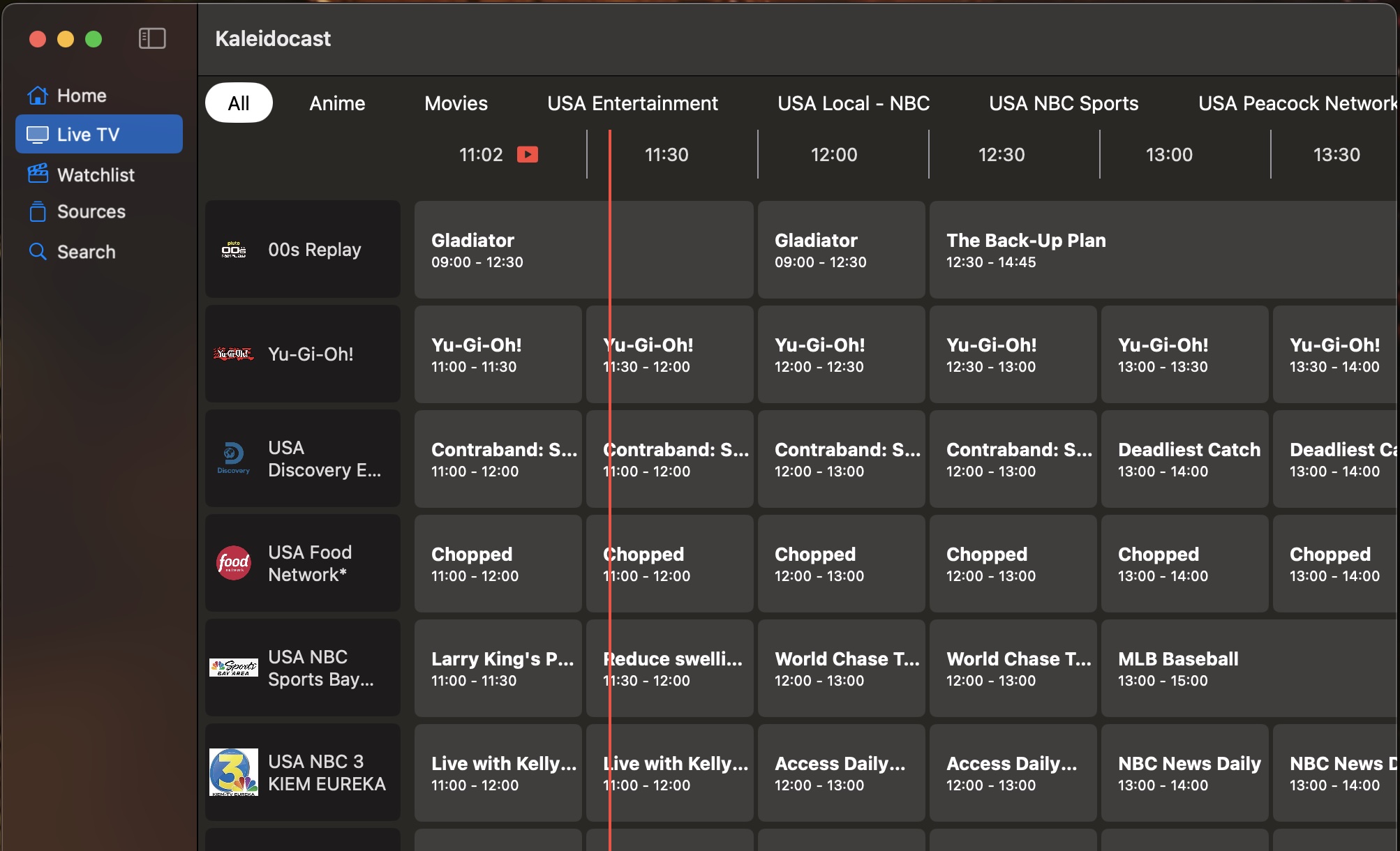
Early macOS Kaleidocast window testing live TV schedule parsing
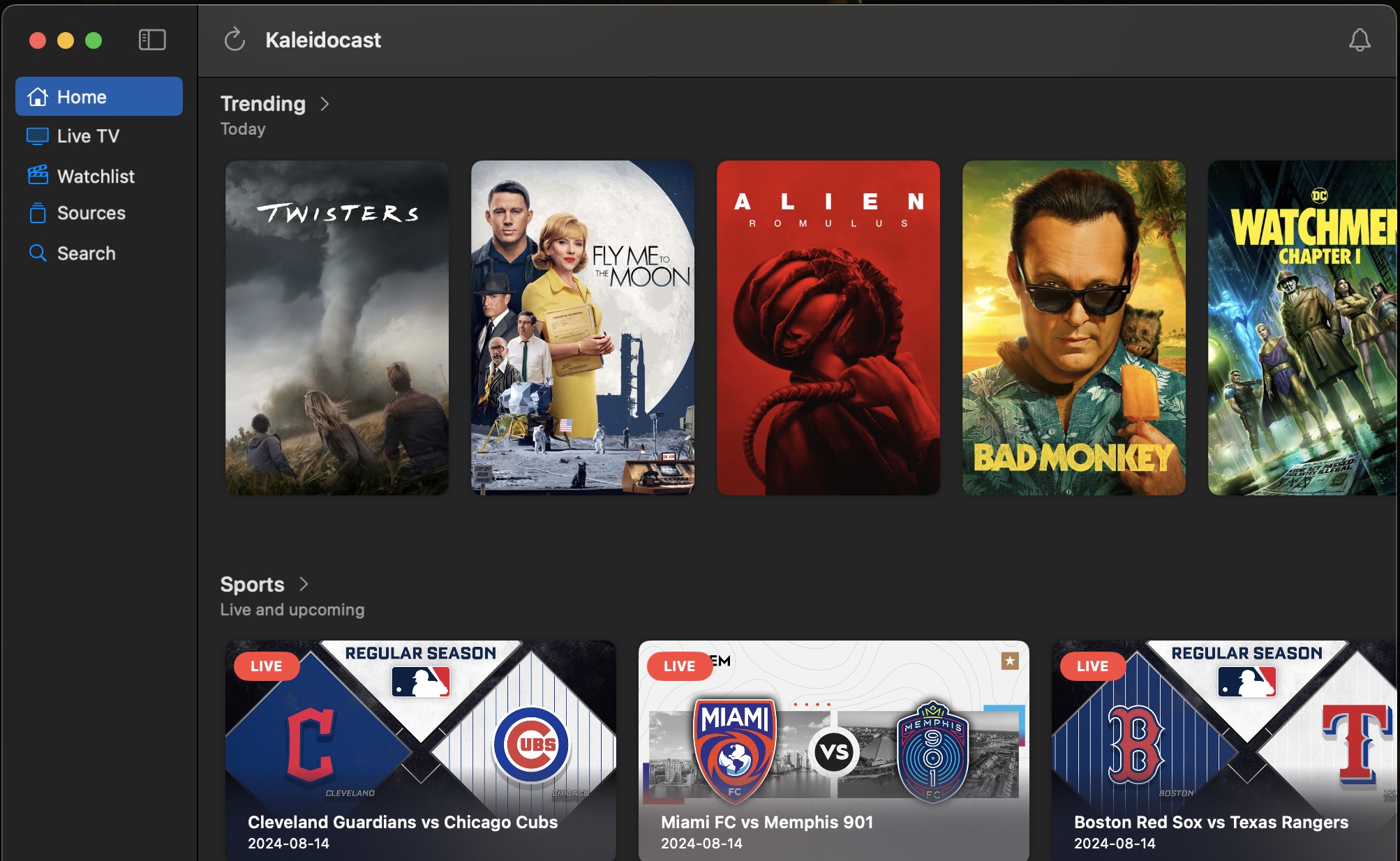
Early macOS Kaleidocast home view testing live sports and movie poster rows
Rebuilding the video player and the Apple TV program guide#
When Kaleidocast became PickFlick, I built a two-step video player. Standard streams use Apple's built-in player for hardware decoding and Picture-in-Picture, and if a broadcast stream fails to load, the app switches to an FFmpeg-based fallback player (which I contributed to upstream) behind the same controls.
To stop big channel lists from freezing launch, I rewrote the importer to read playlists and TV schedules in background chunks into the local database, and added a live corner preview player to the guide.
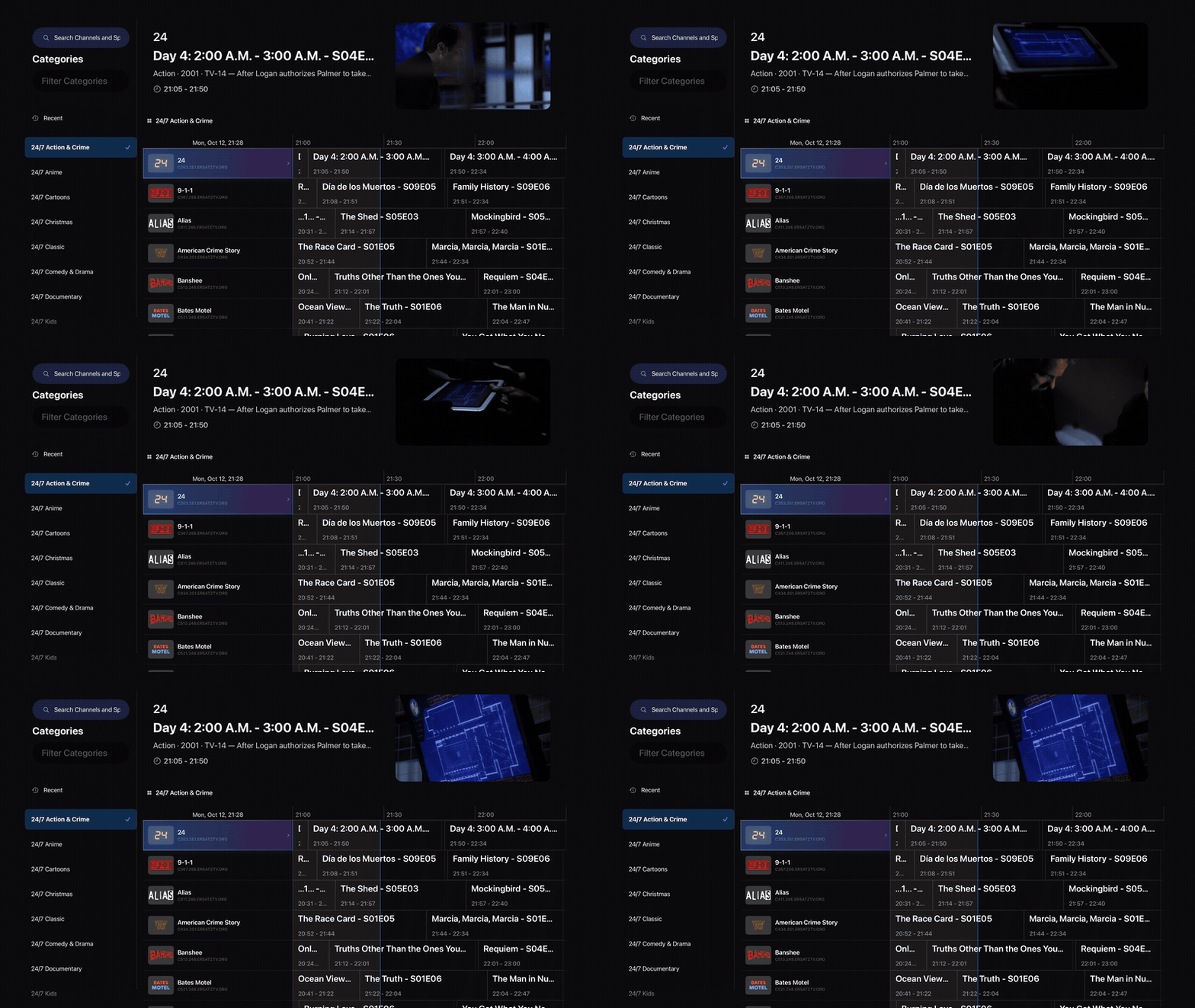
The redesigned Apple TV 4K program guide with category filtering and a live corner preview player
Turning cryptic channel names into posters, scores, and showtimes#
Raw playlists give you channel names like UK: SKY SPORTS MAIN EVENT FHD instead of artwork. I wrote a cleanup pass that strips region and resolution tags, then pulls posters, trailers, cast, and IMDb, Rotten Tomatoes, and Metacritic ratings from TMDB, plus direct links to Prime Video, Paramount+, Apple TV, and Netflix when no custom stream is loaded.
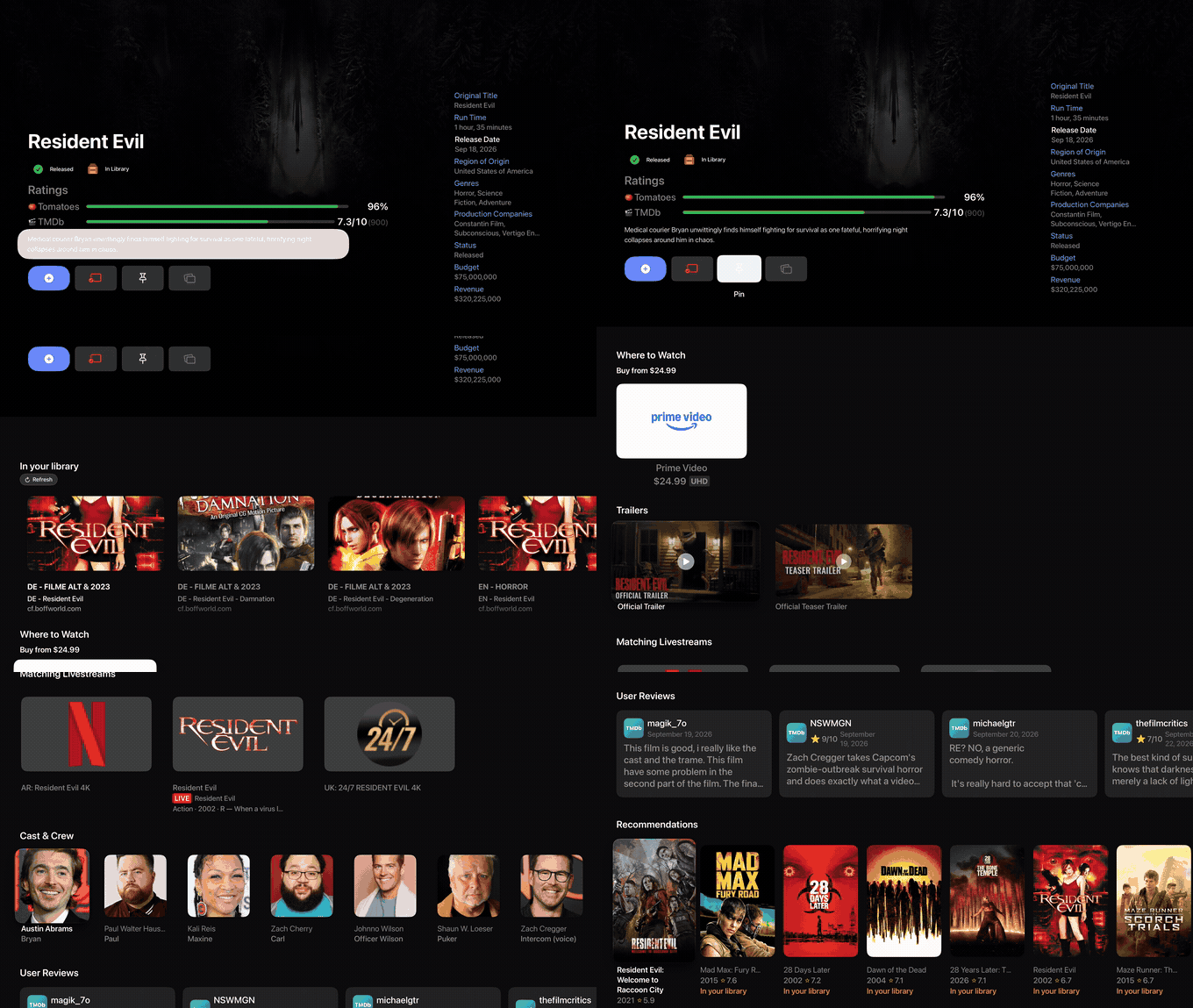
Apple TV 4K movie detail view combining ratings, trailers, cast, and matched playback sources
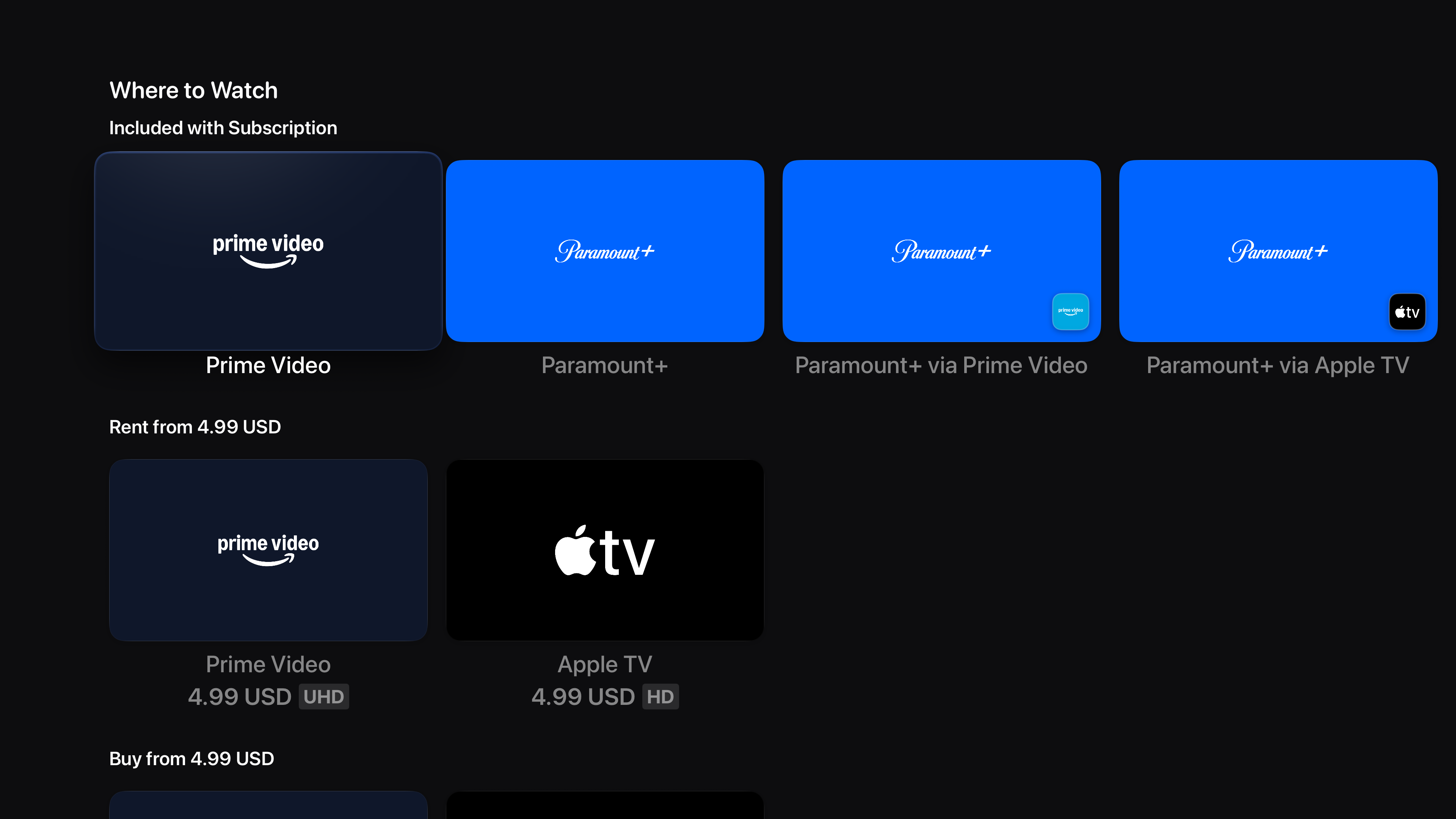
When no custom stream is loaded, PickFlick links directly to streaming subscriptions and digital rentals on Apple TV
For live sports and movies in theaters, the app pairs schedules and scores with live betting odds and local Fandango and AMC showtimes.
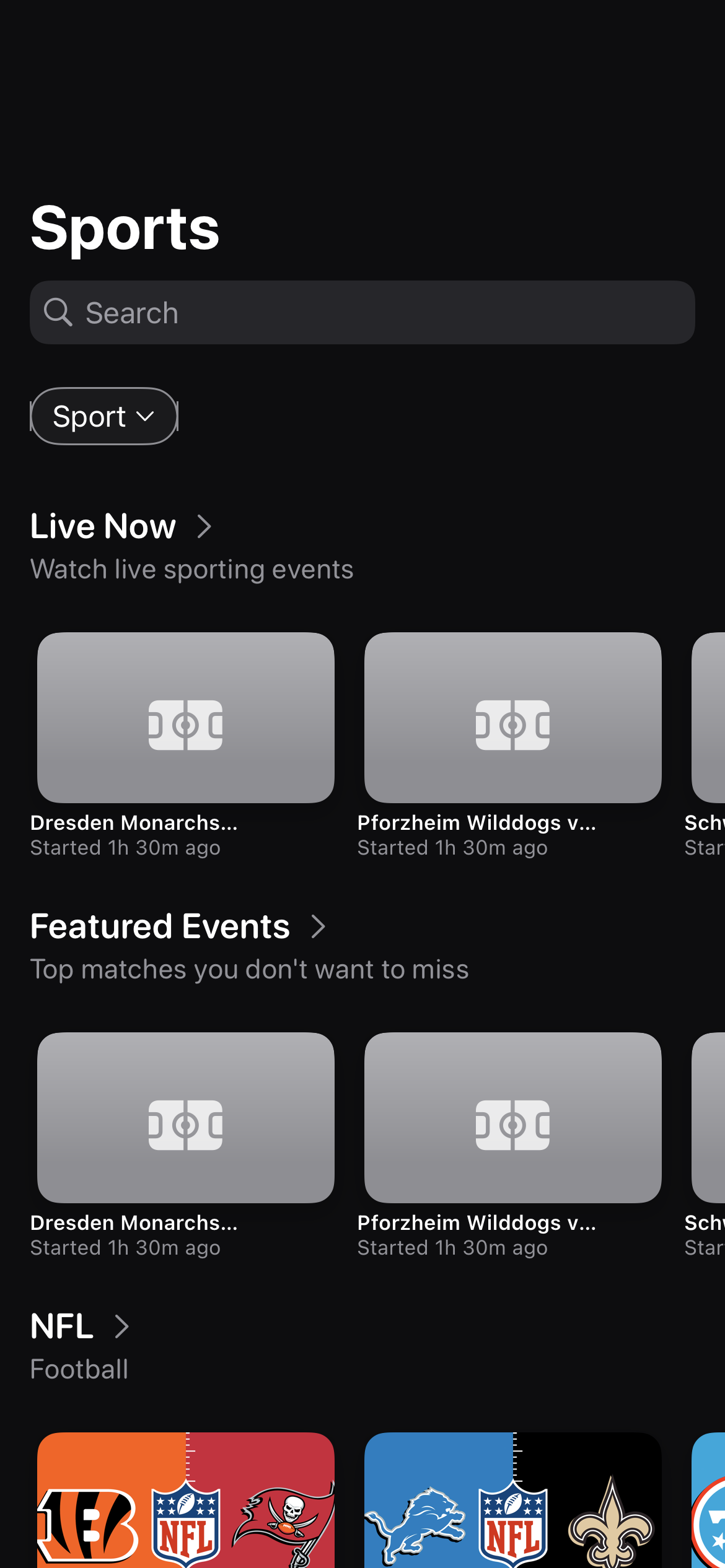
iOS sports tab showing live fixtures, match statuses, and real-time odds
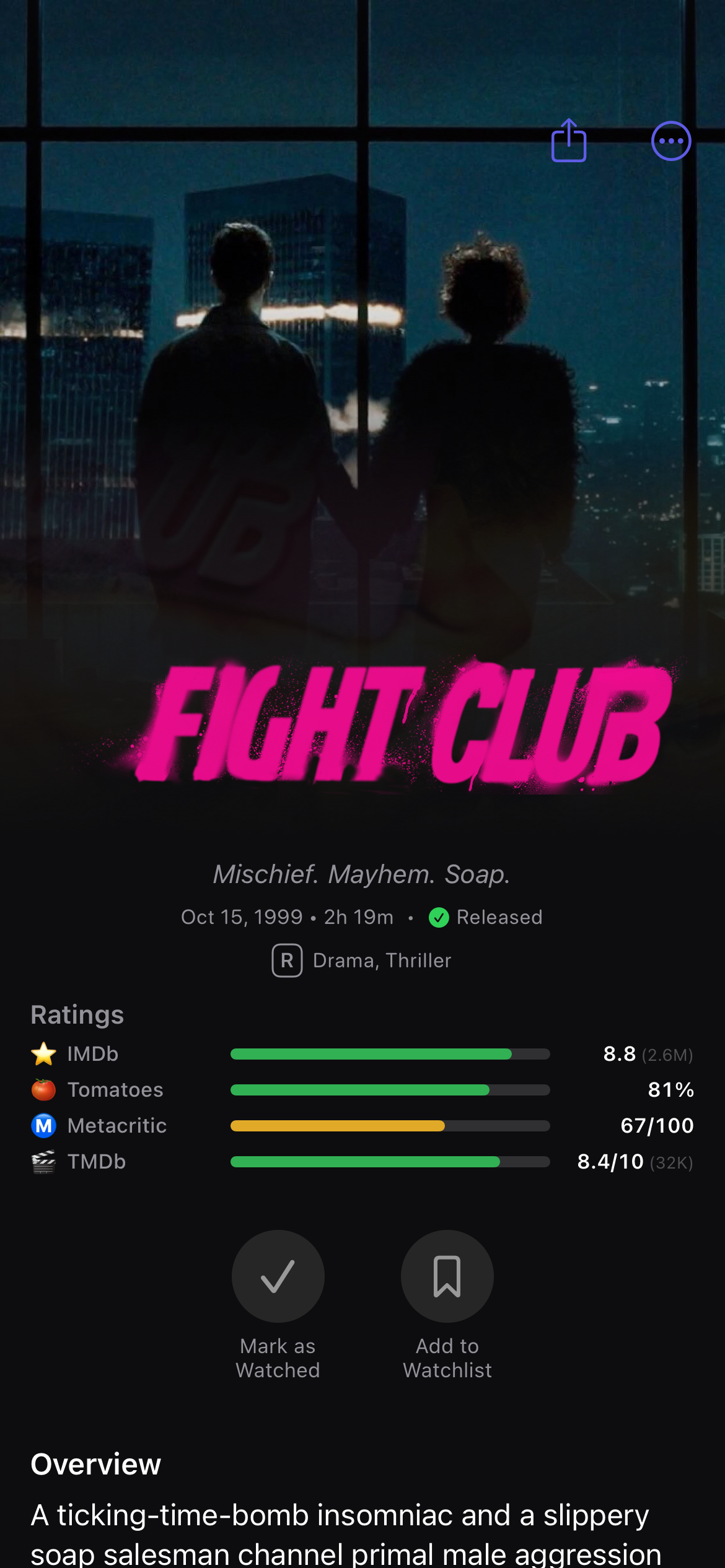
iOS movie detail page with aggregated ratings, overview, and watchlist controls
Building an AI assistant for a ten-foot TV screen#
Ask a friend what to put on and they give you two or three picks. Scrolling thousands of channels takes too long after a long day. Hold the Siri Remote mic button and ask for "Nature documentaries narrated by David Attenborough" or "Where can I watch the Champions League game?" My first Apple TV version copied the iPhone's chat bubbles, which were hard to read from ten feet away. I replaced the chat log with a ten-foot discovery screen: a one-line answer, follow-up suggestions, and a playable row of posters or live channels.
On the backend, my first prototype ran a separate Python agent service to call search tools, which added too much delay between servers. Moving all 30+ movie, sports, and channel search tools directly into the Next.js web backend let the assistant stream structured cards that render as interactive shelves on the web, Apple TV, and iOS.
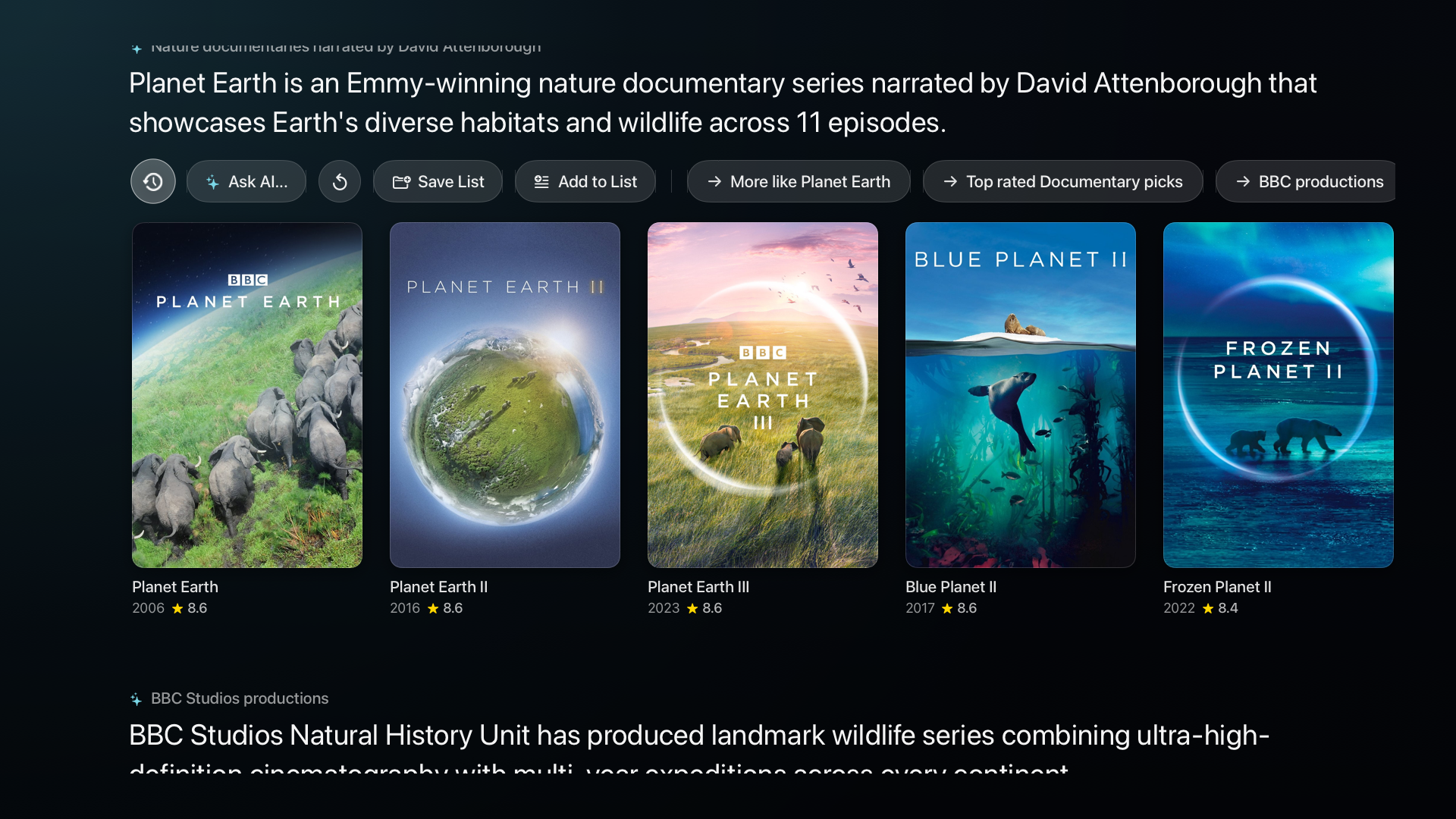
Apple TV AI Discovery Canvas: short headline reply, Save List actions, follow-up pills, and poster shelf
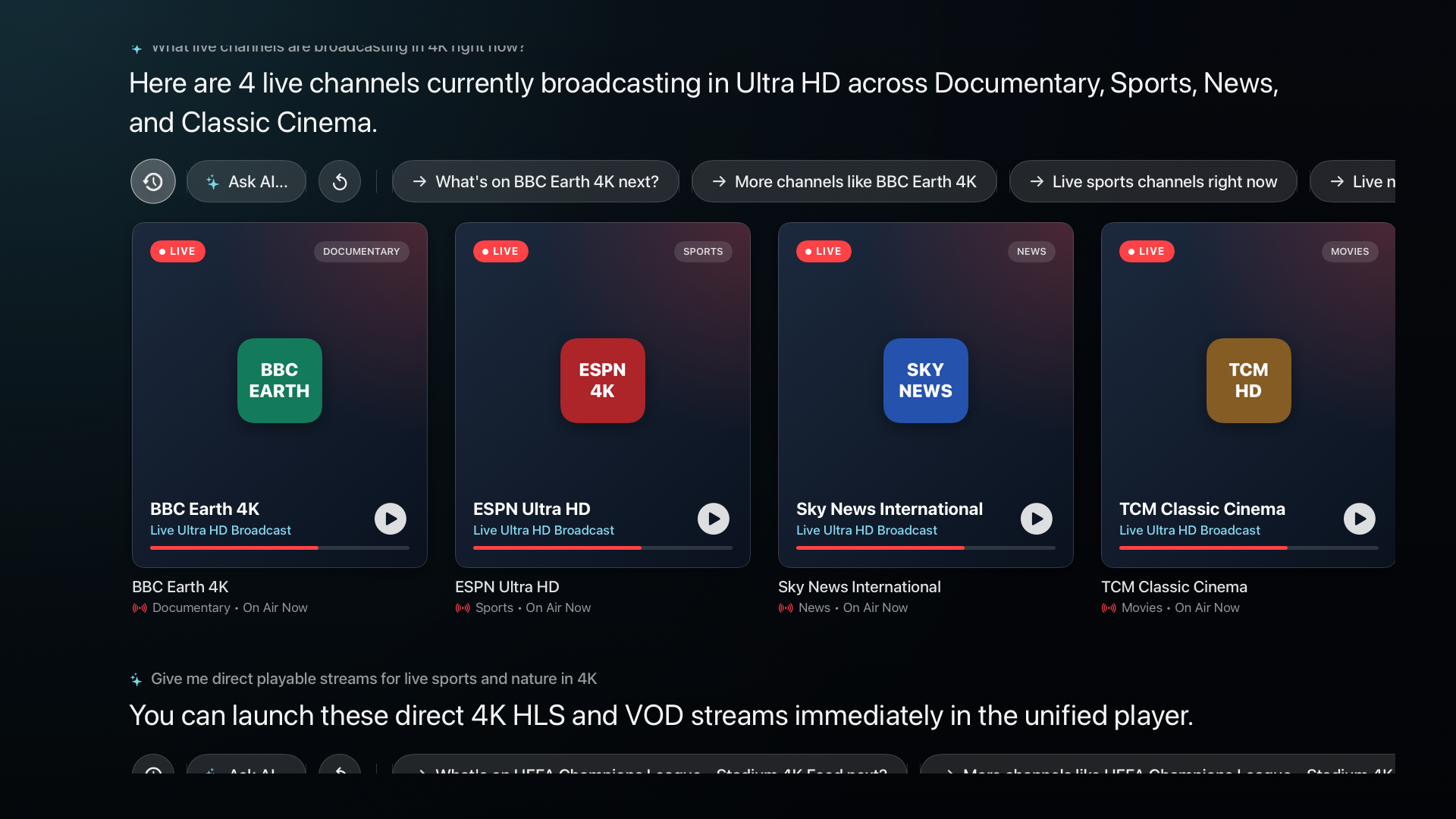
Asking for live channels returns playable broadcast cards with LIVE badges and instant tune-in
Four-game multiview, phone pairing, and iMessage App Clips#
To watch four games at once on busy sports weekends, I built a four-screen multiview player on Apple TV. Moving Siri Remote focus across the four corners switches active audio to the highlighted game.

Watching four live feeds at once on Apple TV 4K, using Siri Remote focus to switch active audio
Moving the playlist parser and video player into shared Swift libraries let me reuse 80% of the code across iOS, macOS, and tvOS while syncing watchlists, progress, and saved channels over iCloud.
To skip typing URLs on the TV, I built QR pairing into the companion web app. Scanning the TV's QR code pairs your phone over an encrypted connection to send playlists or home media servers straight to Apple TV, and the web app also powers iMessage App Clips and the voice agent on this site.
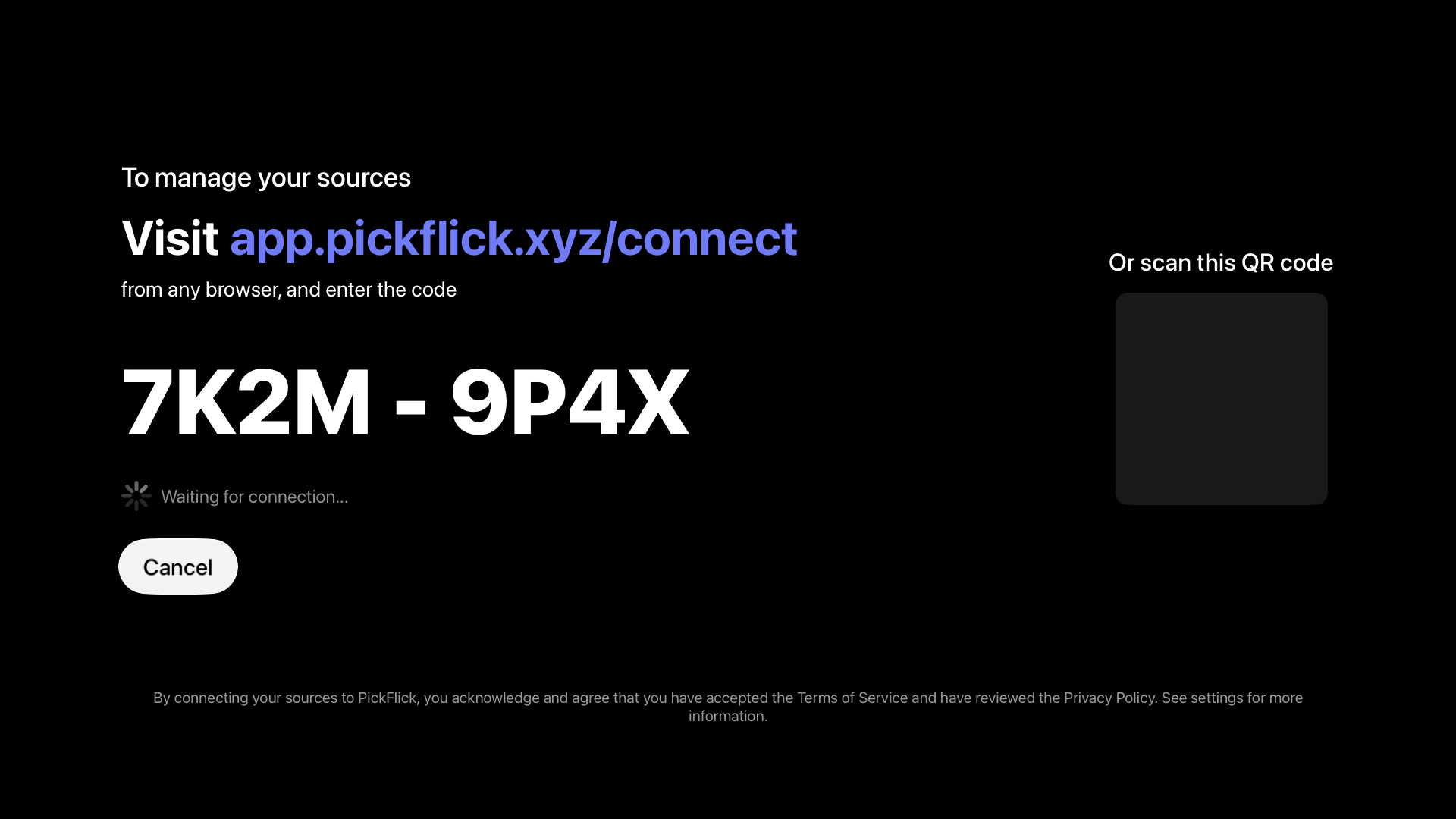
Manage via Web on Apple TV: scanning the QR code pairs your phone browser over an encrypted connection
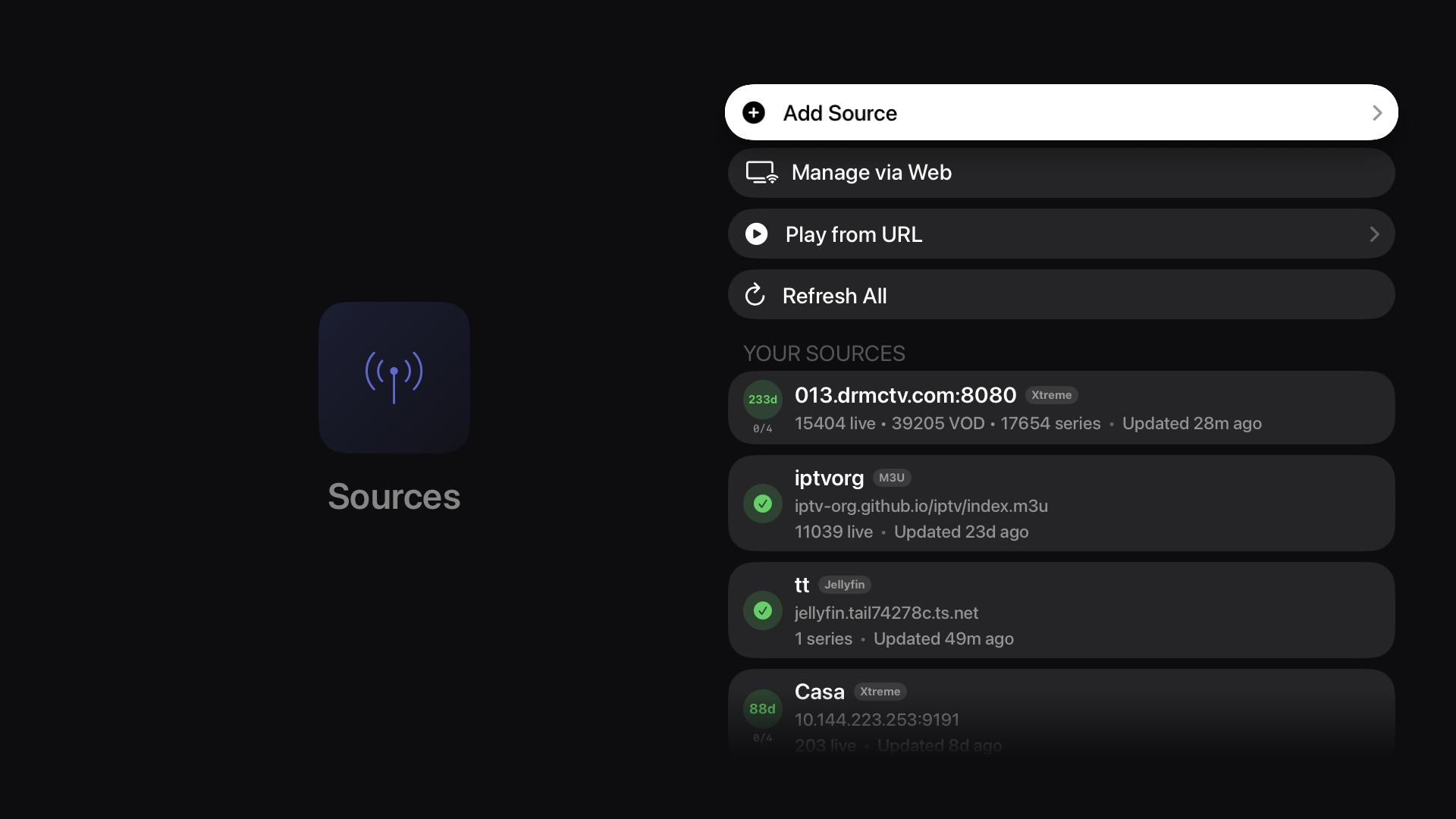
Apple TV Sources screen managing live TV providers, channel playlists, and home media servers
Screenshots#
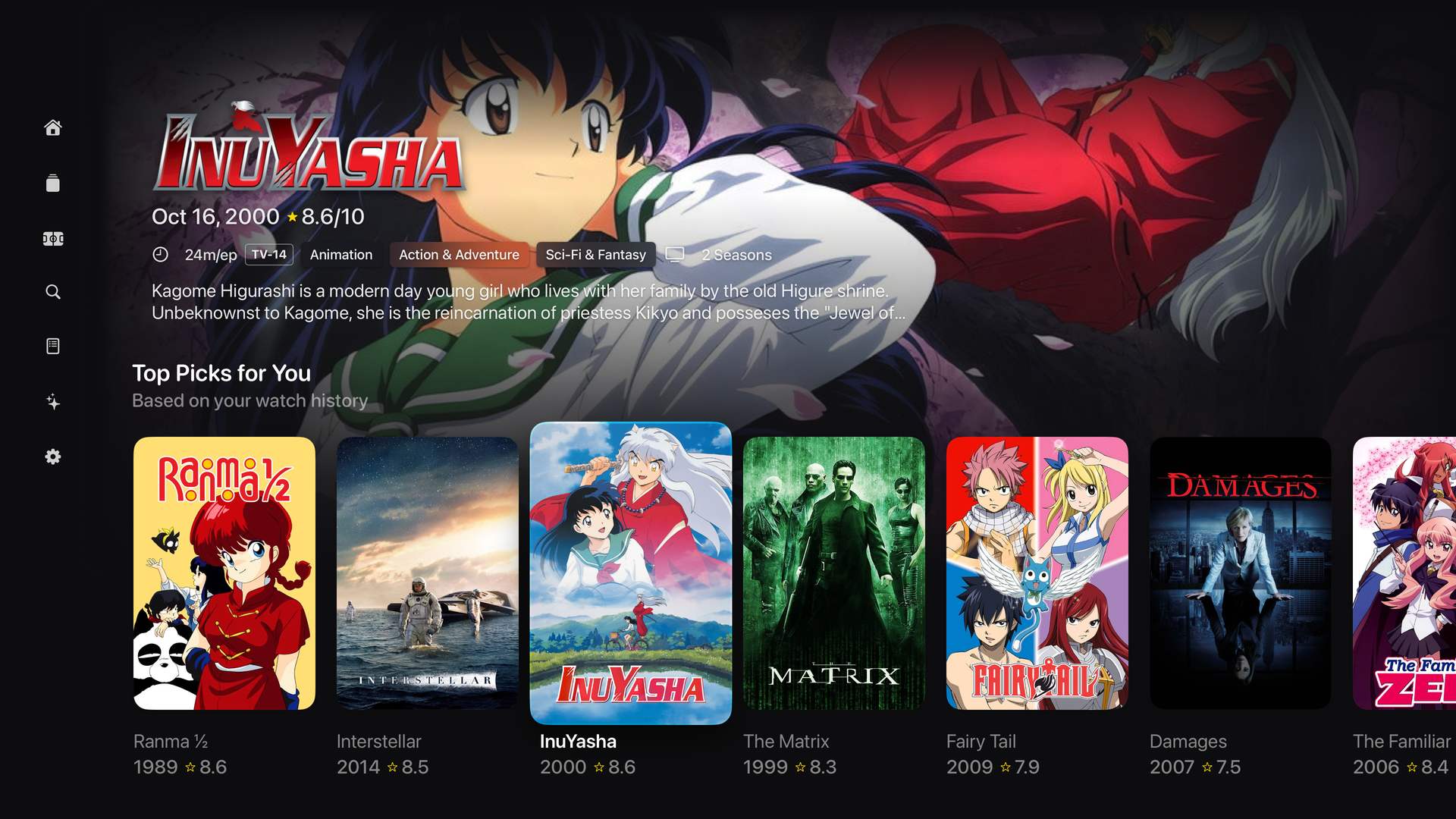
Apple TV 4K home screen with featured backdrops, live news, and trending shelves
Apple TV AI Discovery Canvas showing documentary recommendations, list actions, and follow-up prompt pills
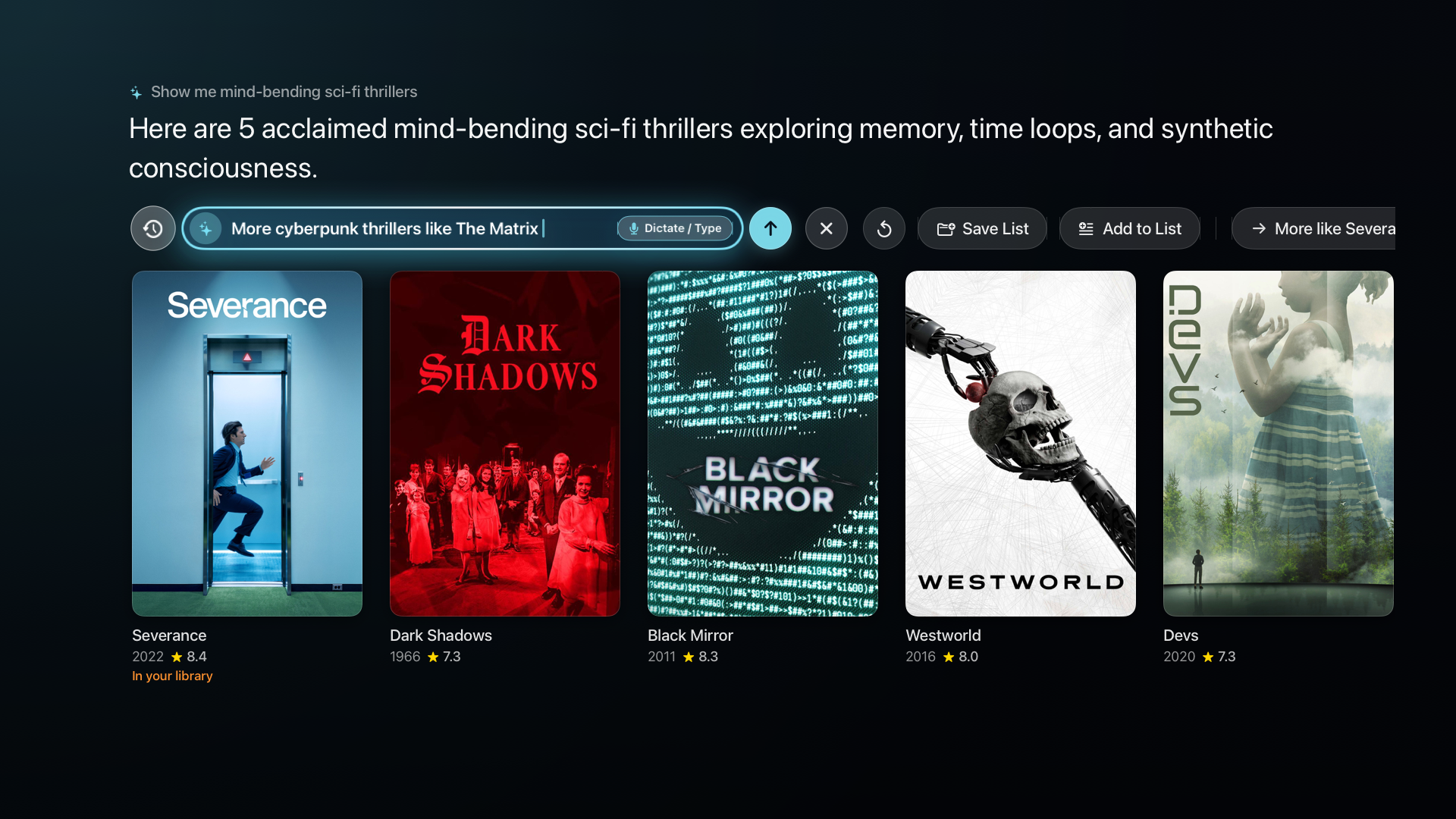
Expanded inline voice dictation bar on Apple TV with local library badge matching
AI assistant returning live Ultra HD broadcast channel cards on Apple TV
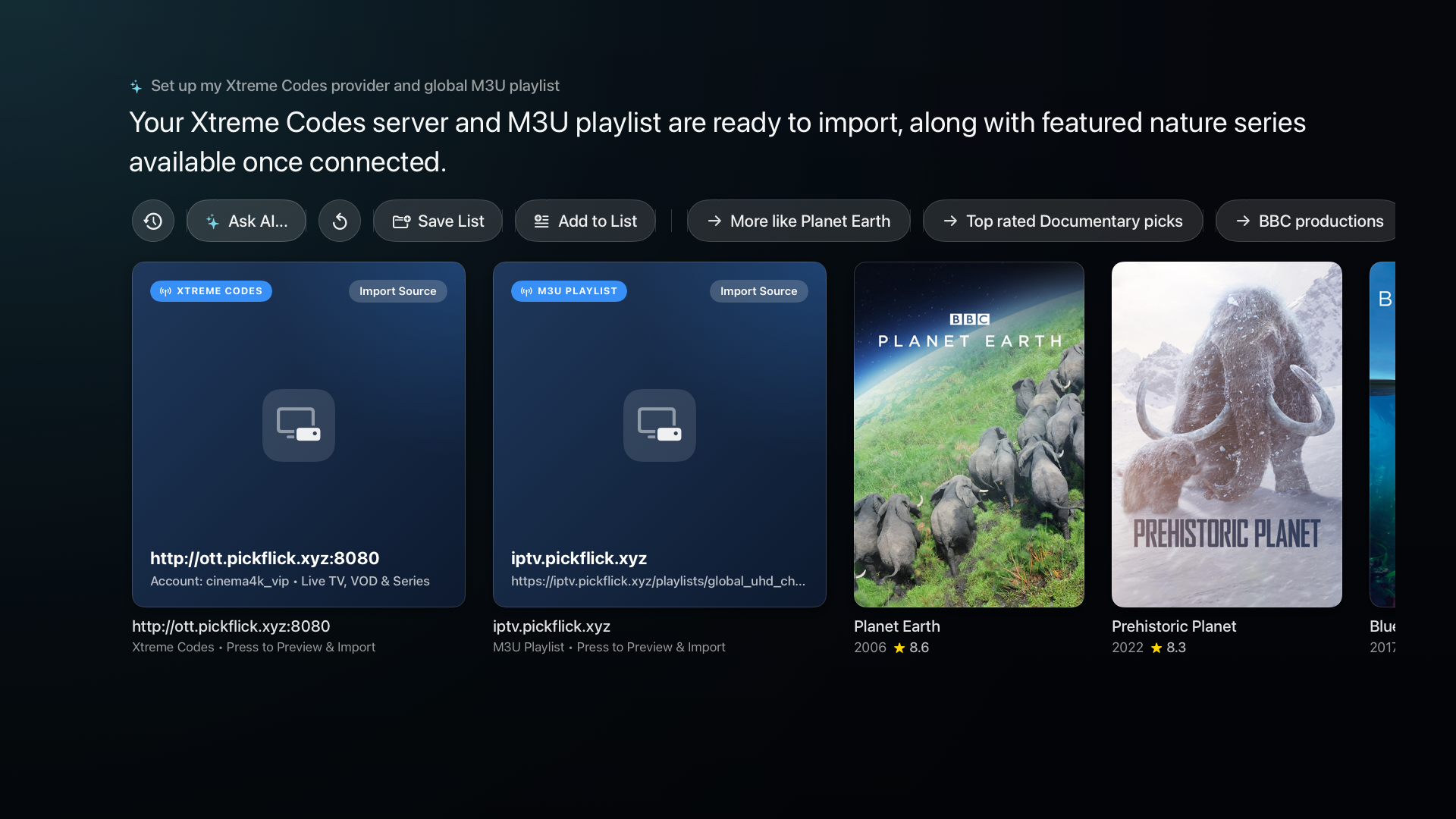
AI assistant rendering one-tap channel playlist import cards

Four-stream live sports multiview on Apple TV 4K with focus-driven audio switching
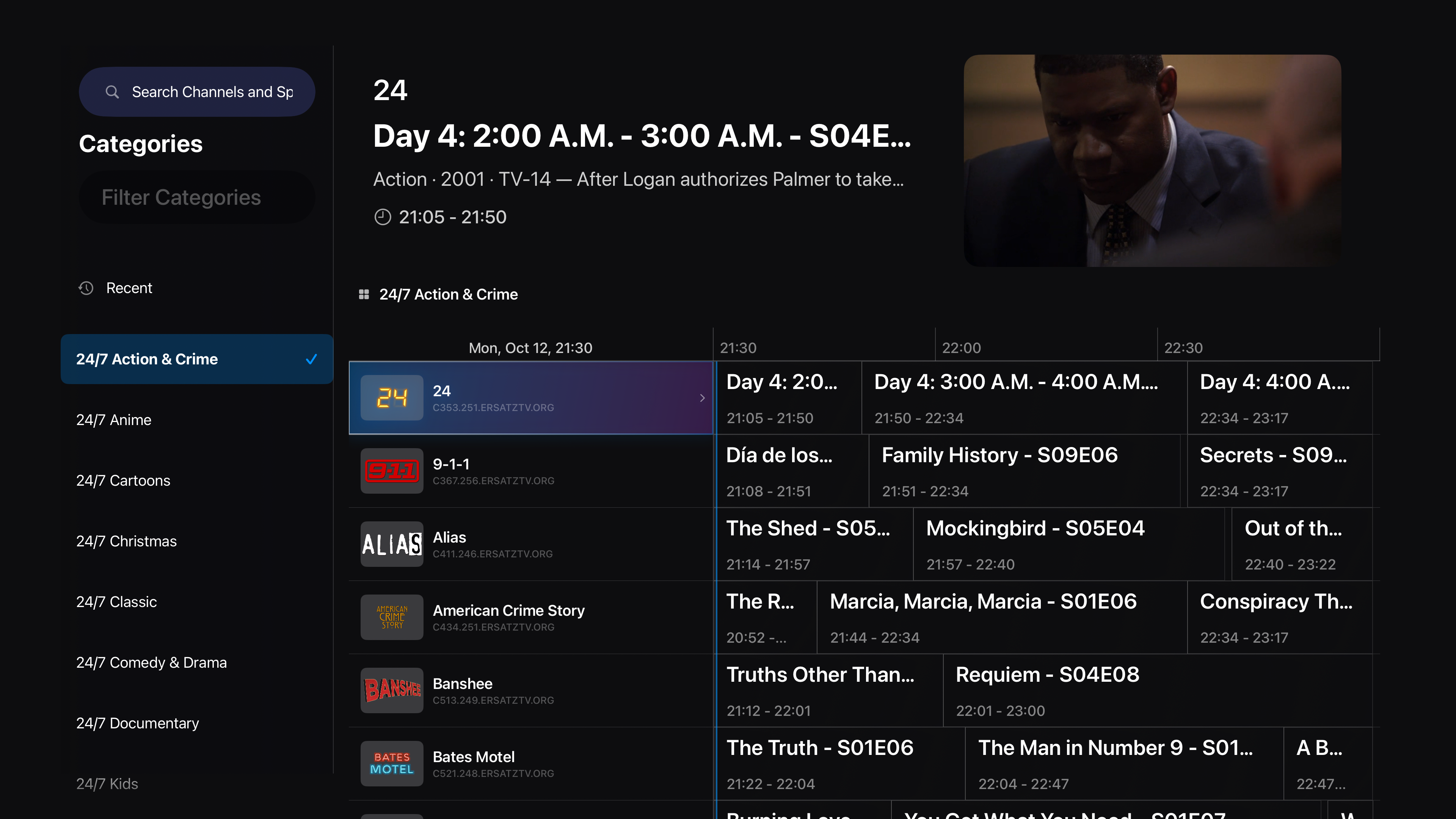
Apple TV 4K program guide with category filters and a live Picture-in-Picture corner player
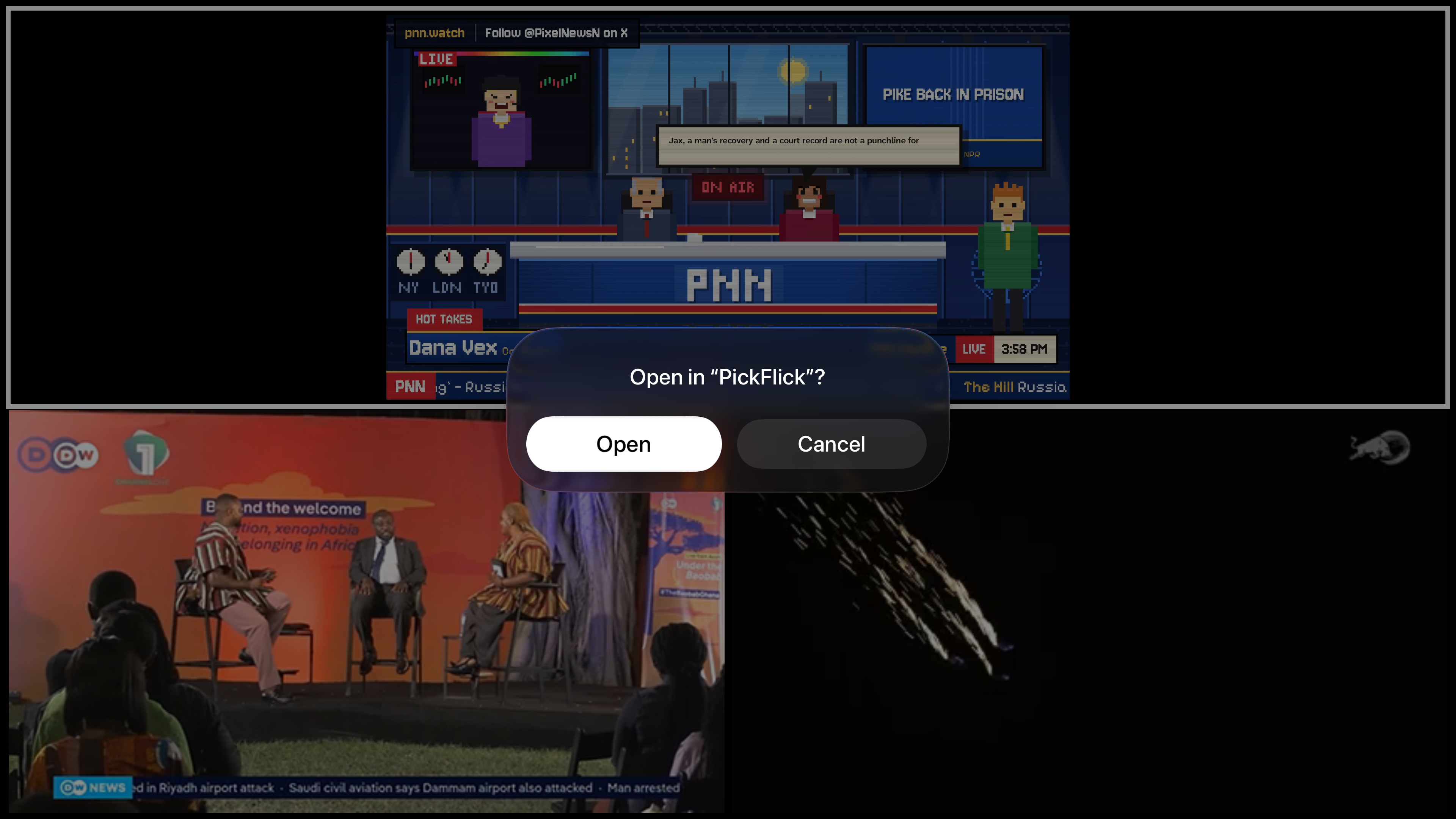
Apple TV 4K movie detail page with ratings from IMDb, Rotten Tomatoes, and Metacritic
Direct deep links to streaming subscriptions and rental stores on Apple TV
Pairing Apple TV with a phone browser (app.pickflick.xyz/connect) via QR code
Managing live TV providers, channel playlists, and home media servers on Apple TV
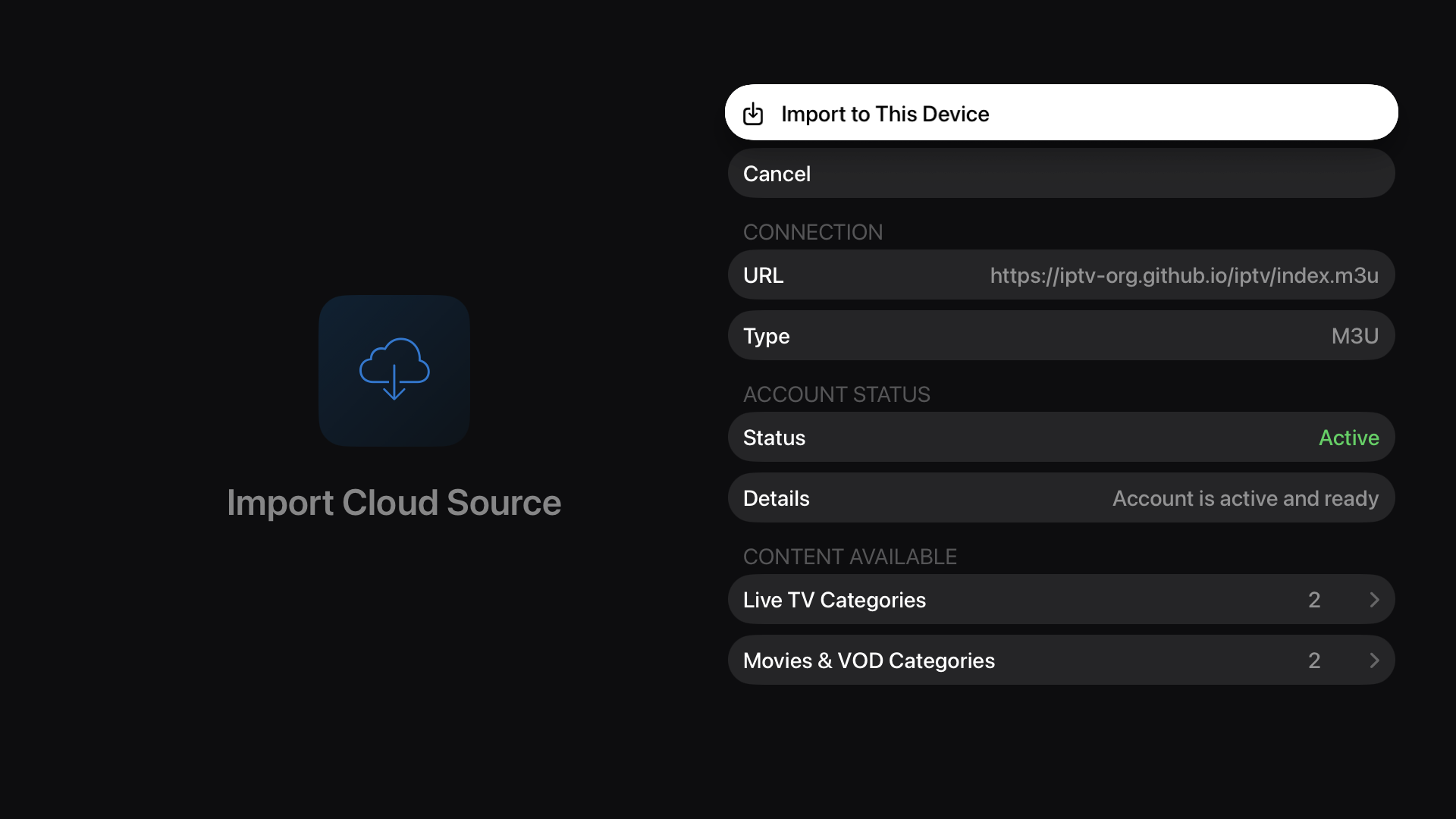
Previewing live and on-demand categories from an iCloud-synced playlist before importing on Apple TV
iOS live sports scoreboard paired with real-time moneyline and spread odds
iOS movie detail screen with cast, trailers, ratings, and iCloud watchlist sync
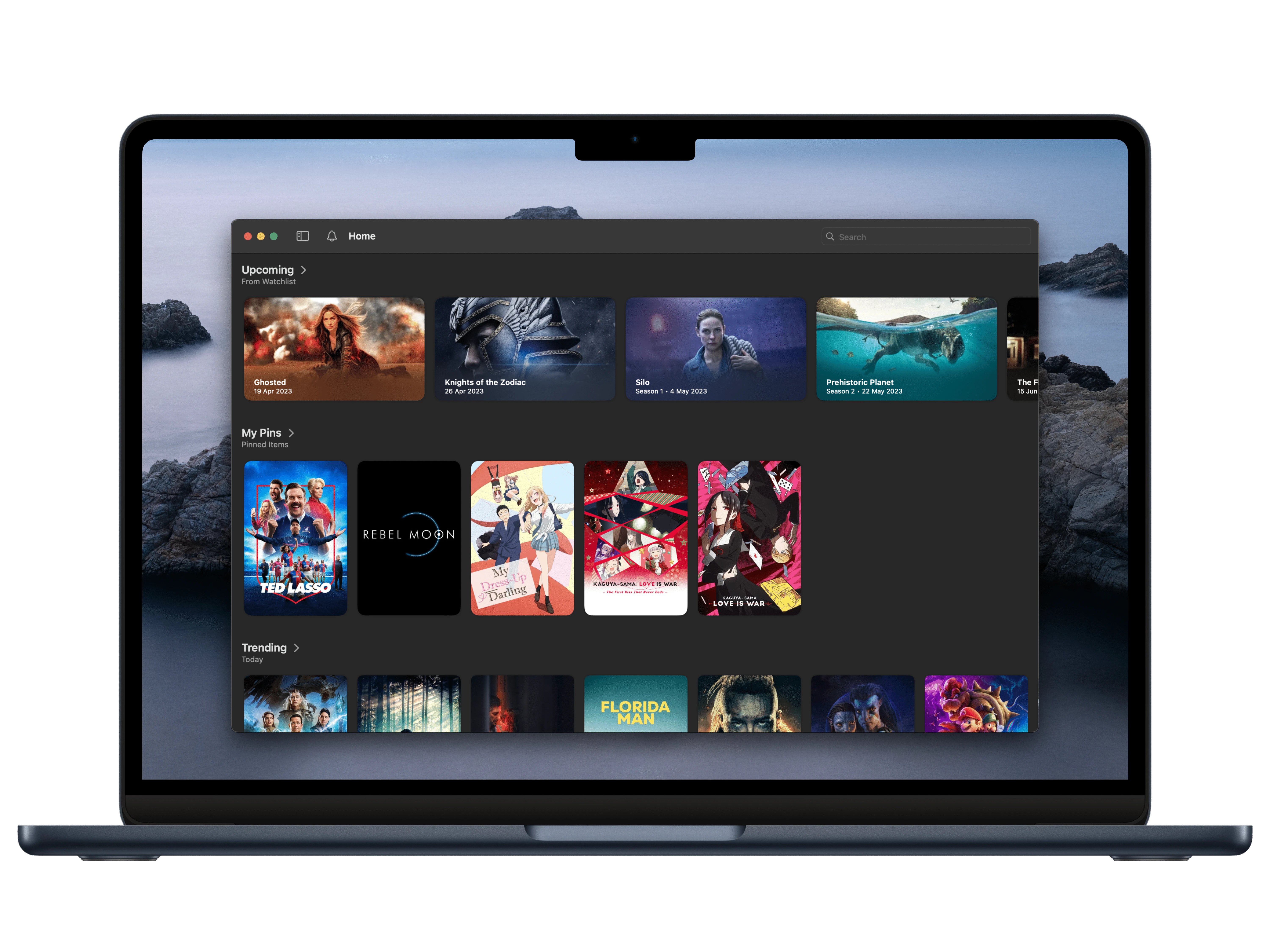
PickFlick running on macOS with sidebar navigation and live sports shelves